Connect AI providers
Add each AI provider with a read-only role or admin key; the first read brings in up to 90 days of history.
Online version, always current: https://cloudvision360.com/docs/agentvision360/connect-providers/
AgentVision360 connects to each AI provider you use and reads its billing, usage, keys and seats.
Supported providers
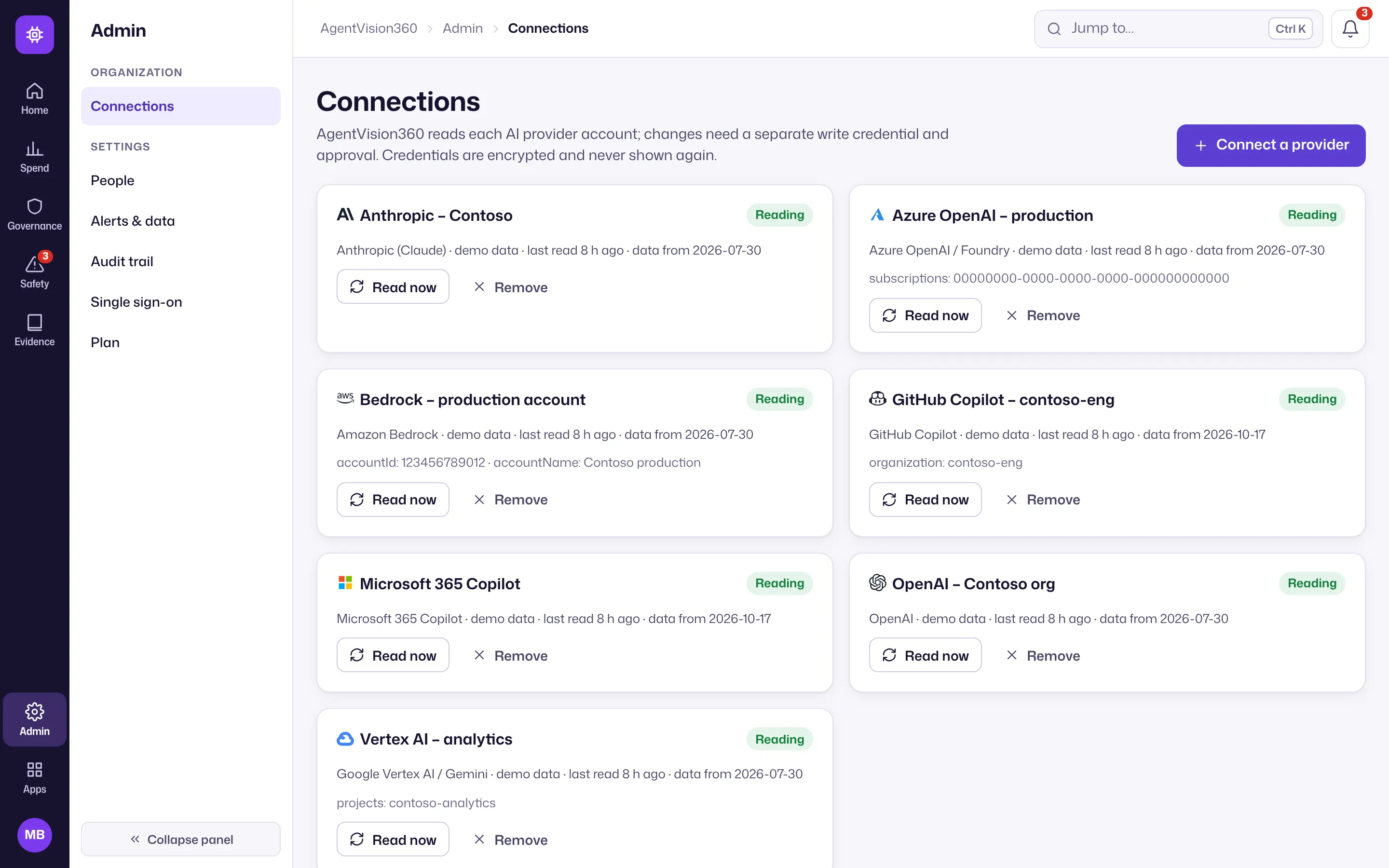
OpenAI, Anthropic, Azure OpenAI / Foundry, Amazon Bedrock, Google Vertex AI, Microsoft 365 Copilot and GitHub Copilot.
Connect one
- Open Admin → Connections (the gear at the bottom of the icon rail) and choose Connect a provider.
- Supply a read-only role where the provider offers one, or an admin key where it does not.
- Save. The first read brings in up to 90 days of history, so you see trends immediately.
A note on admin keys
OpenAI and Anthropic do not offer a read-only admin key. Use a dedicated key for AgentVision360 so you can revoke it independently. All credentials are encrypted at rest and never shown again after you enter them.
What is read, and what is not
AgentVision360 reads billing, usage counts, keys and seat assignments. It never receives prompt or response content, and it sends nothing to an AI model.
Next
Once connected, allocate spend to teams and set budgets, explore the spend, and review the key register.