Key register and access
Every API key, admin key and service credential in one register, with the risks that need attention and optional approved actions.
Online version, always current: https://cloudvision360.com/docs/agentvision360/key-register/
Sprawling, unowned API keys are where AI spend and risk hide. The key register puts them all in one place.
One register
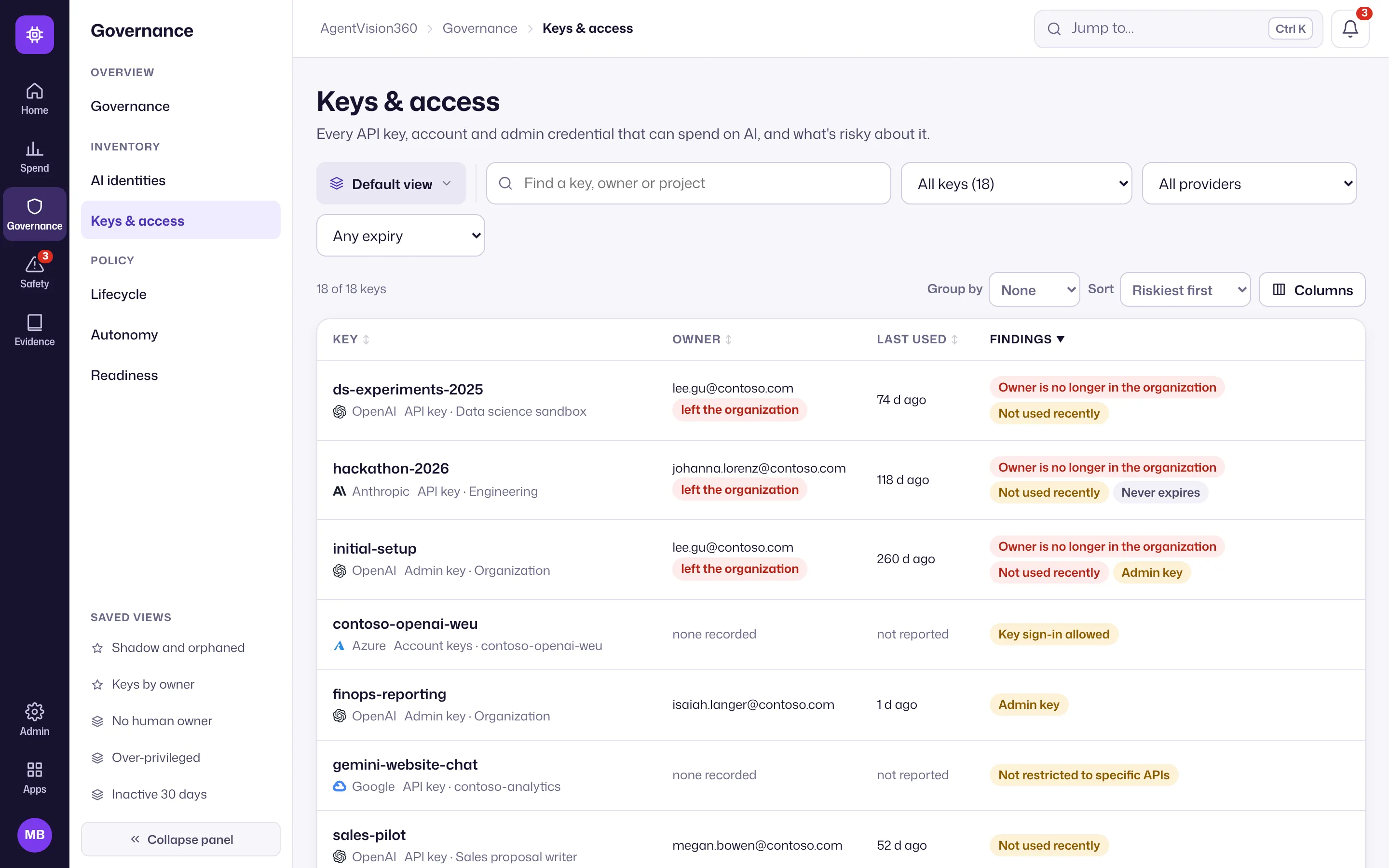
Every API key, admin key and service credential across your connected providers, in a single list, with its owner and, where the provider reports it, its last use and 30-day spend.
Risks surfaced
The register flags keys that need attention:
- Keys whose owner has left.
- Unused keys.
- Admin keys and unrestricted keys.
- Keys without an expiry.
Optional approved actions
By default AgentVision360 only reads. If your organization turns on approved actions (off by default, and needing a separate write credential), you can deactivate or delete a key — or remove an idle seat — from AgentVision360, but only after other people approve it. Every action is in the audit trail.
Use it
Open Governance → Keys & access to review the register, filter by risk, assign owners, and (if enabled) request an action on a risky key. Spend per key comes from each provider’s cost reports; where a provider reports cost per workspace and model but not per key, AgentVision360 splits it by token share and marks it estimated.