Active Directory and Entra ID
Sign-in and directory data from AD over LDAPS and Entra ID, with Zero Trust context and group-to-role mapping.
Online version, always current: https://cloudvision360.com/docs/itops360/active-directory-entra/
ITOps360 uses your existing directories for sign-in and for the identity context that makes tickets and device actions safe.
Active Directory
Connect over LDAPS for sign-in and directory data — users, groups and the attributes ITOps360 needs to route and authorize actions.
Microsoft Entra ID
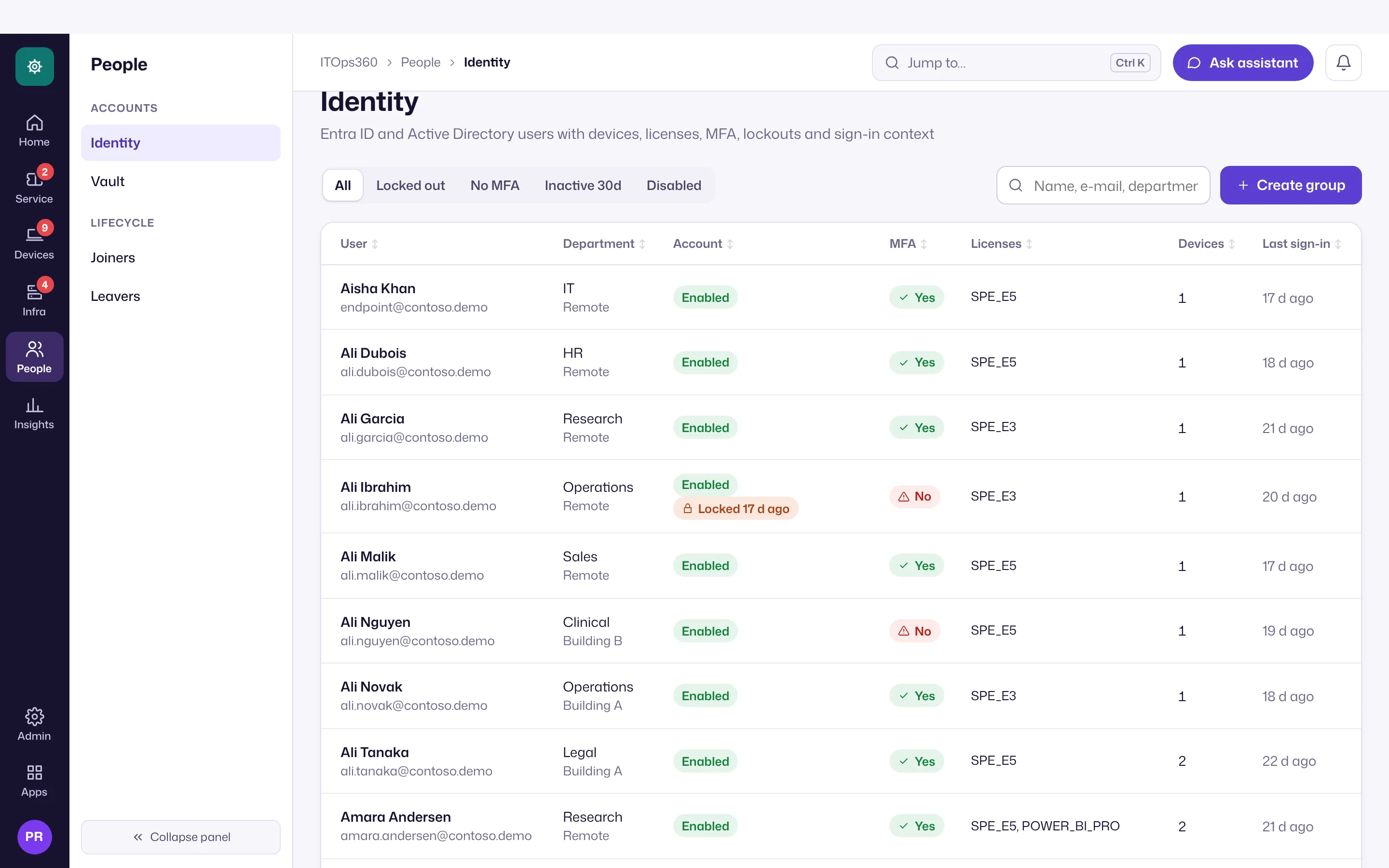
Connect Entra ID for users, MFA registration, licenses and sign-in activity, so you can see, for example, who lacks MFA or has not signed in recently.
Zero Trust context
Every user and device carries Zero Trust context, so a technician and the policy engine both know how trusted a request is before acting on it.
Group-to-role mapping
Map directory groups to ITOps360 roles. The mapping is re-applied at every sign-in, so adding or removing someone from a group changes their access the next time they log in — no manual role juggling.
Set it up
Open Admin → Settings: connect Entra ID under Integrations and Active Directory sign-in (LDAPS) under Single sign-on, and define your group-to-role mapping under Users & roles. Day to day, people and their accounts are under People → Identity. For removing access when someone leaves, see leaver offboarding. Multiple AD forests and AD/Entra correlation are on the roadmap.