Automation and workflows
An allow-list of risk-graded actions, four-eyes approval, MFA step-up, and workflows with dry run and verification.
Online version, always current: https://cloudvision360.com/docs/itops360/automation-and-workflows/
ITOps360 automation is powerful but bounded: everything it can do is on an allow-list, and risk decides how much oversight each action needs.
The allow-list
Every action ITOps360 can take is on an allow-list, graded from Low to Critical risk. There is no free-form command execution anywhere — the assistant and Fix My Computer can only offer actions this list permits for a given user and device.
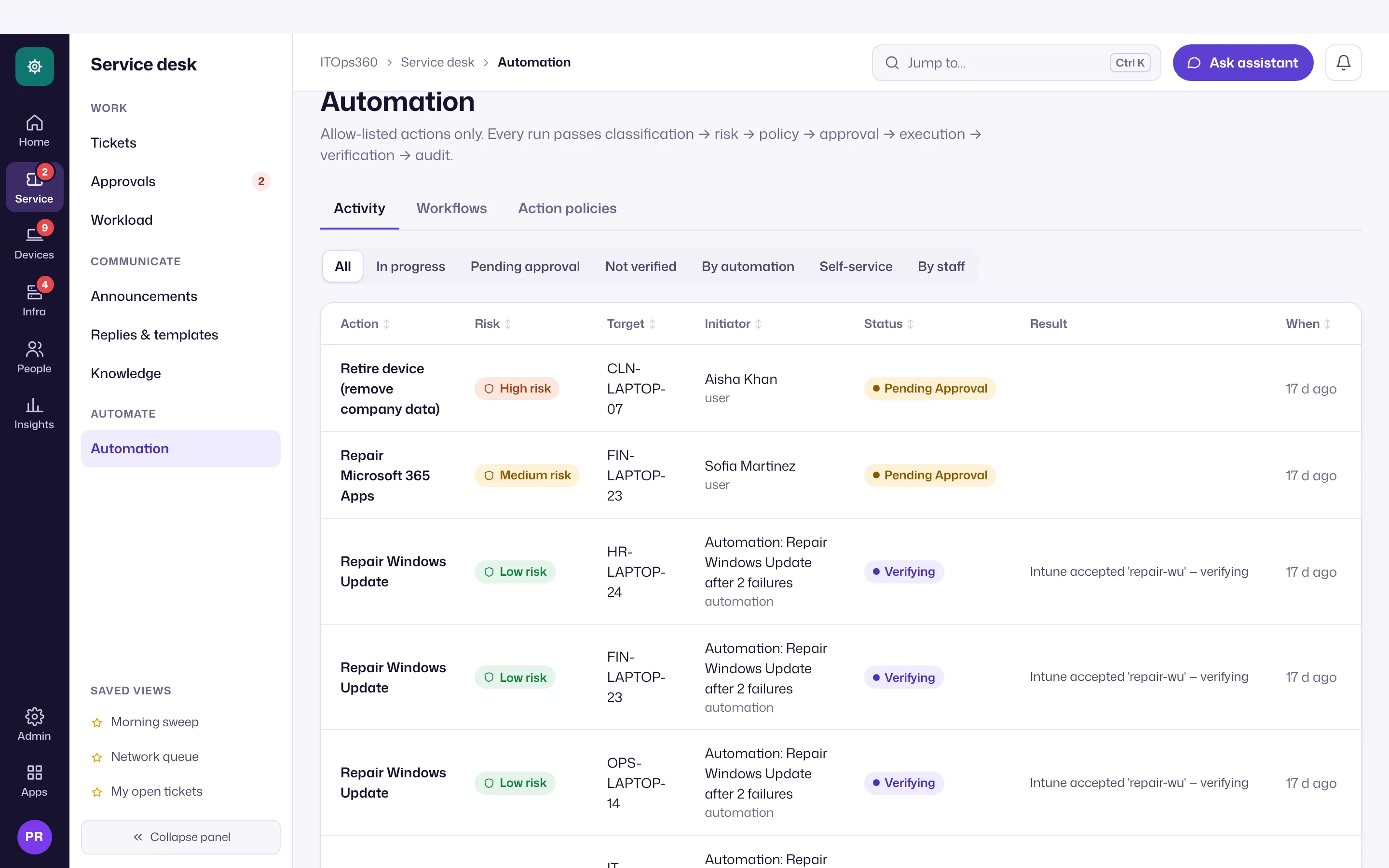
Oversight by risk
- Low — may run on its own when policy allows.
- Higher risk — needs a different person’s approval (four-eyes).
- High risk — adds an MFA step-up before it runs.
Network port actions carry extra guardrails and read-back verification, so a switch change is confirmed to have taken effect.
Workflows
Build workflows triggered by metric thresholds (a failing device, a breached SLA). Each workflow supports a dry run so you see what it would do, and raises a ticket on failure so nothing fails silently.
Verified
Every job sent to a device is signed, and a run stays open until the device reports the intended state — automation is never assumed to have worked.
Set it up
Open Service desk → Automation (the last page in the panel, for people with automation rights): Action policies to review the allow-list and set the approval and MFA requirements per risk level, Workflows to build workflows, and Activity to follow every run.