Governed remediation
Fixes that run through policy, a dry run, approval and verification, with SLAs and an owner for every finding.
Online version, always current: https://cloudvision360.com/docs/cloudvision360/governed-remediation/
Governed remediation lets you fix findings safely: nothing risky changes without a second person, and nothing is called done until it is checked.
Risk decides the path
The risk score of a finding decides how its fix is approved:
- Low risk — may run directly.
- Medium and high — need a different person’s approval (four-eyes).
- Critical — needs two approvers.
A separate write identity
Remediation uses its own credential, granted separately from the read-only assessment role. Read-only assessment never holds write access, and turning remediation off removes all write capability.
Dry run, then verify
Every change starts with a dry run so you can see what would change before anything does. After it runs, a fix is only marked done once the next scan shows the intended state — it is never assumed.
SLAs and ownership
Remediation SLAs by risk level set when each finding is due. Ownership routing assigns each finding to an owner automatically. Exception expiry warnings surface before an accepted risk exception quietly comes back. Together these make sure findings are worked on time, by the right person.
Where to find it
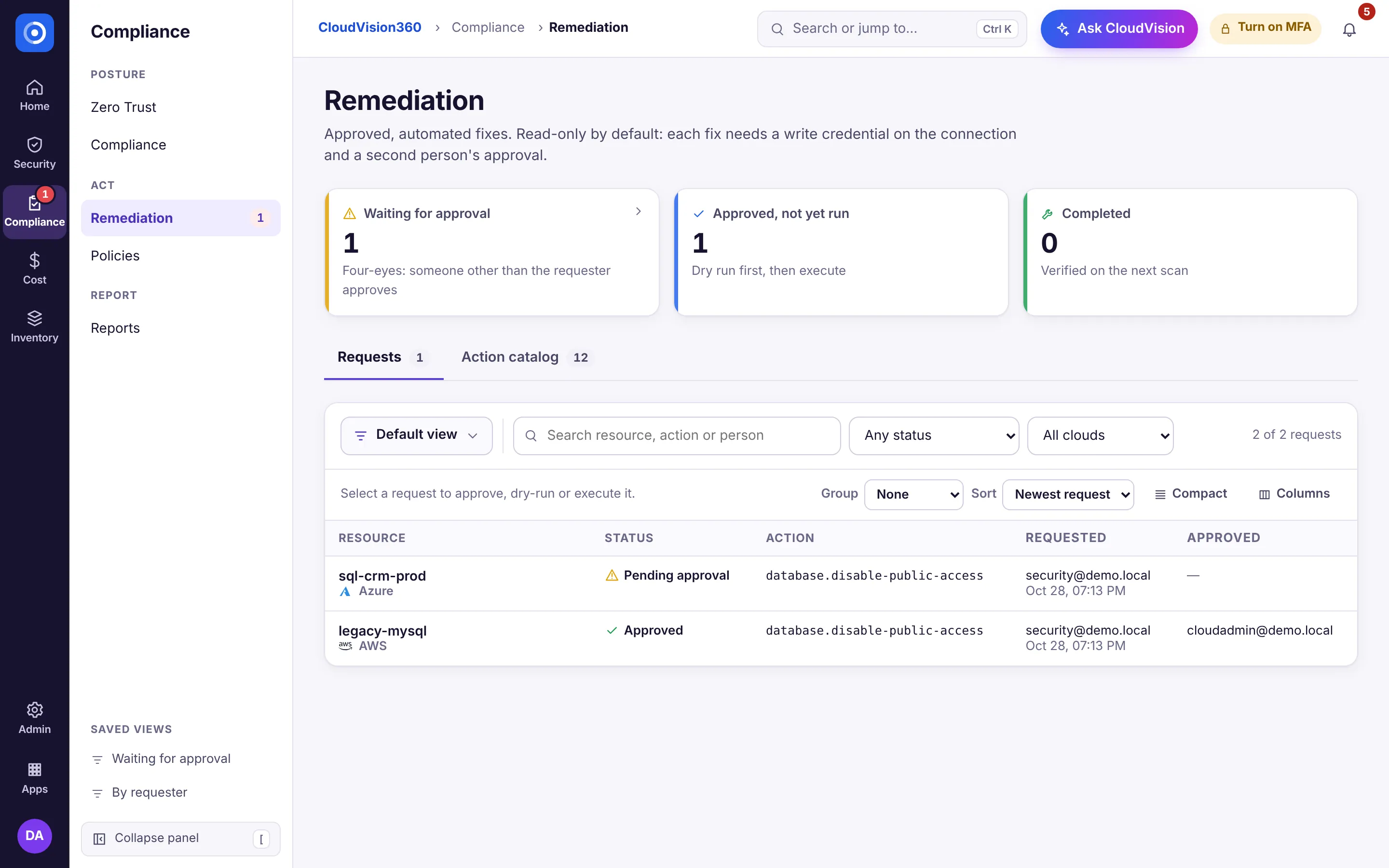
Open Compliance → Remediation. Requests lists every fix with its status (waiting for approval, approved and not yet run, completed), who asked and who approved; Action catalog lists what can be fixed. Approvers also see waiting fixes first on Home, under Needs your attention.
What can be fixed
12 remediation actions span AWS, Azure and GCP today. Fixes integrate with Jira and ServiceNow tickets and raise alerts when they run.
Evidence
Every finding carries a downloadable evidence pack, and verified fixes feed the verified outcomes report.