Tickets and SLAs
The ticket lifecycle with SLAs, pause-in-waiting, breach escalation, merging duplicates and CSAT ratings.
Online version, always current: https://cloudvision360.com/docs/itops360/tickets-and-slas/
The ITOps360 service desk manages the full ticket lifecycle with service-level targets built in.
Lifecycle and SLAs
Tickets move through their lifecycle against SLAs that:
- Pause while waiting on the requester, so time spent waiting for a reply does not count against you.
- Escalate on breach, so a ticket approaching or past its target is surfaced automatically.
Satisfaction (CSAT)
Resolved tickets can be rated by the requester. CSAT scores are surfaced in dashboards and reports so service quality is measured, not assumed.
Where tickets come from
- The employee portal and assistant in Teams and Slack.
- Email to ticket for Microsoft 365 (IMAP and Google Workspace are on the roadmap).
- Raised by technicians, or opened automatically by proactive recommendations and failed workflows.
AI assistance
New tickets can be categorized, routed and checked for duplicates by AI, with the signals shown — see AI triage.
Work a ticket
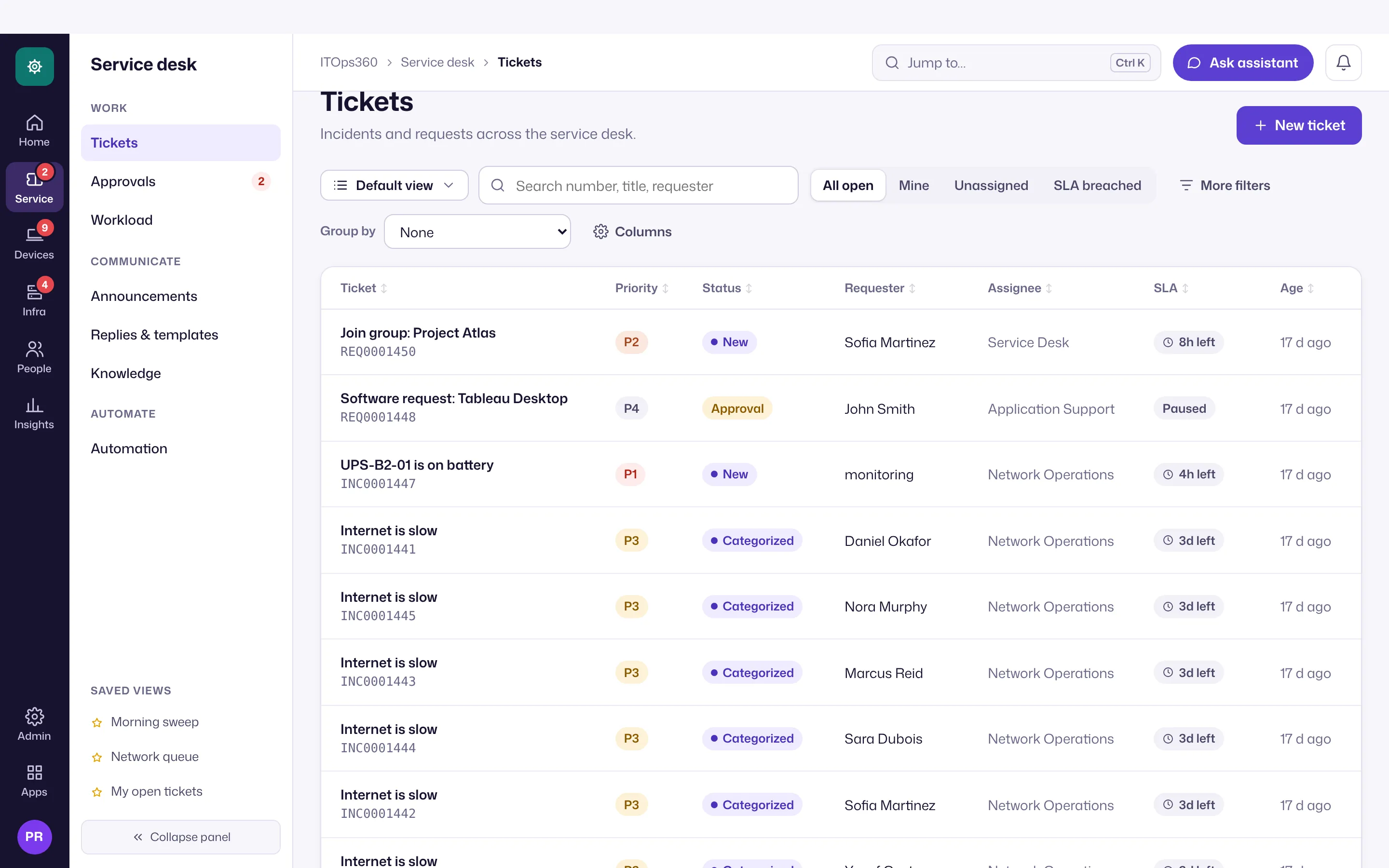
Open Service desk → Tickets (the ticket icon in the rail, then Tickets in the section panel). Filter with All open, Mine, Unassigned or SLA breached, or pick a saved view such as At risk of SLA breach, and open a ticket to work it with its full history, the requester’s devices and identity context, and the knowledge base alongside. New ticket is at the top right of the list; any page is also a few keystrokes away with jump-to (Ctrl+K).
Merge duplicates
When several people report the same problem, merge their tickets instead of working each one.
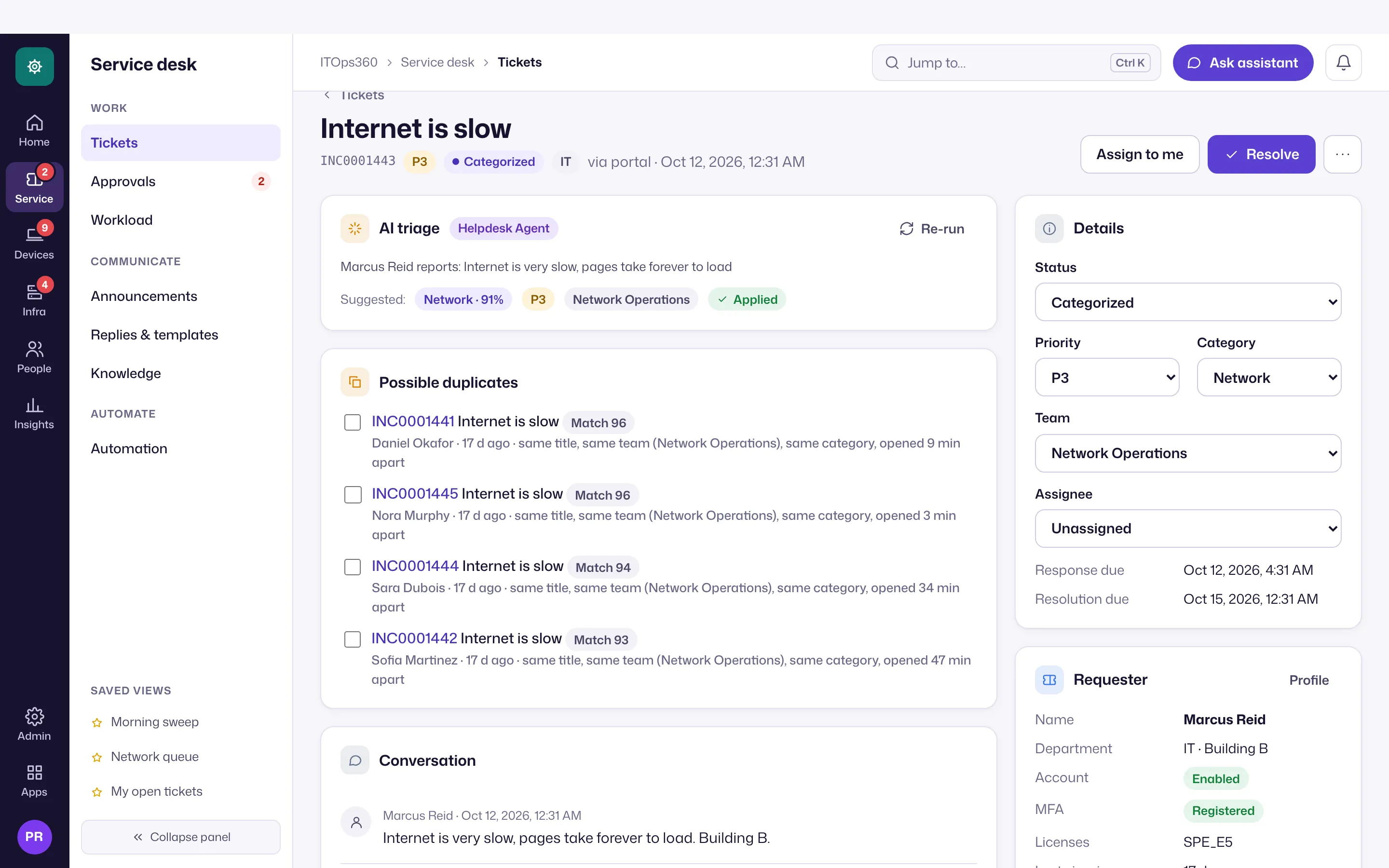
- Find them. Each open ticket lists possible duplicates: open tickets of your organization from the last 30 days, scored on similar subject and description, the same category, the same device and the same requester department. No AI model is involved in the score.
- Merge. Tick the duplicates and choose Merge into this ticket, or use Merge… on the ticket (up to 20 at once). You need the right to update tickets.
- What happens. The duplicates close as Merged with a link to the primary ticket and become read-only. The primary keeps its own SLA and gains the merged tickets’ descriptions, timelines and files. Their requesters become followers and get one notice each (in-app and e-mail), and replies to a merged ticket’s e-mail thread land on the primary.
- Rules. Closed, resolved, canceled or already-merged tickets can’t be merged, and a merge can’t be undone. Every merge is recorded in the audit trail.
Balance the workload
Leads see open, at-risk and overdue tickets per technician, with suggested reassignments, under Service desk → Workload. See workload and announcements.