Budgets and allocation
Budgets that warn before they are exceeded, and showback and chargeback by tag that always matches the bill.
Online version, always current: https://cloudvision360.com/docs/cloudvision360/budgets-and-allocation/
Allocation and budgets turn a cloud bill into something each team can own.
Allocation that adds up
Showback and chargeback are built by tag — team, project, cost center. Untagged spend is spread proportionally across allocated spend, so the totals you report always match the provider’s bill. No “unallocated” line quietly growing until the numbers stop reconciling.
Budgets with warnings
Set budgets by scope — whole estate, account, team or tag — each with alert thresholds. A budget warns before it is exceeded, not after, and the forecast drives an early warning when the month is projected to pass the budget.
Set a budget
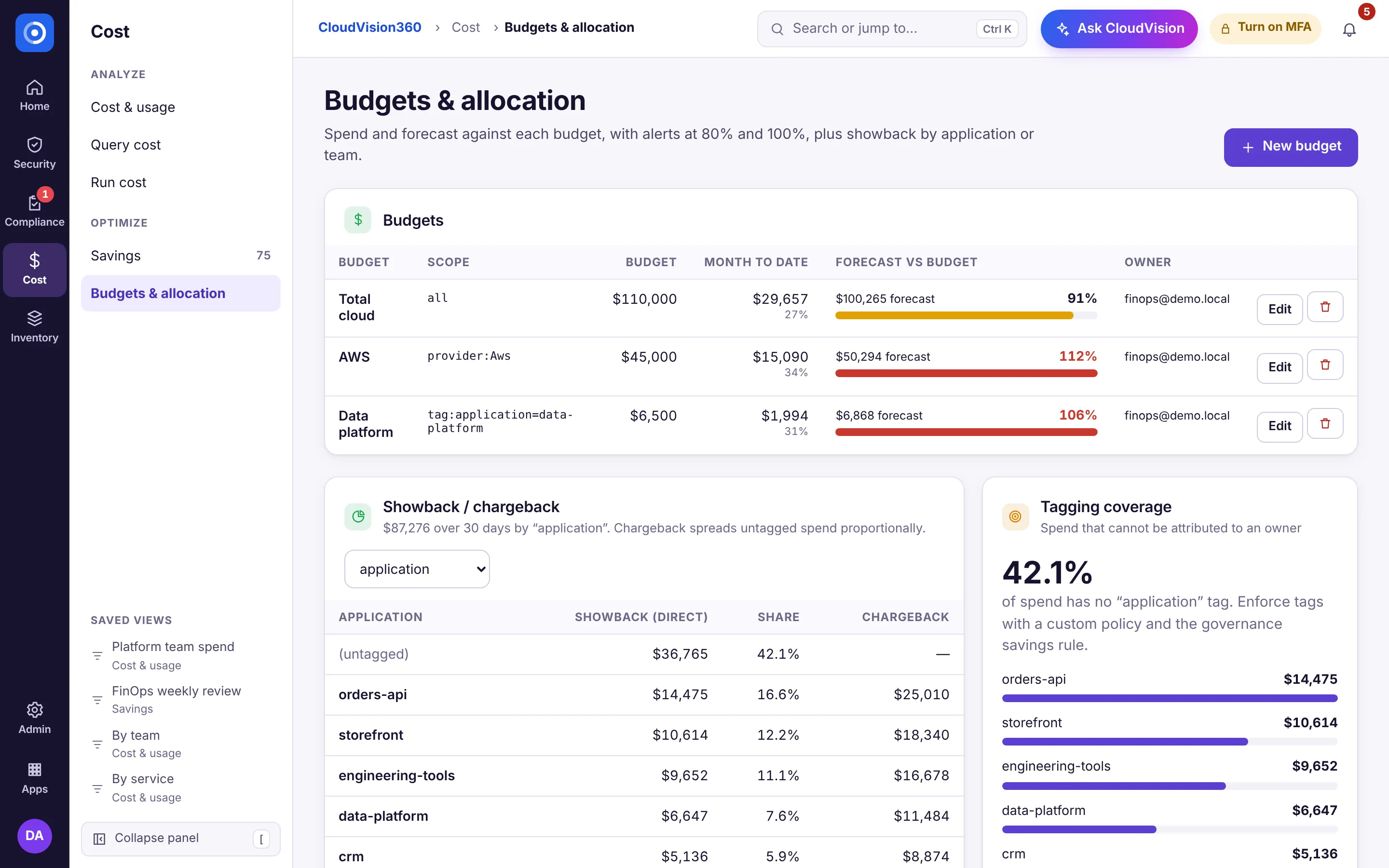
- Open Cost → Budgets & allocation and choose New budget (or type “new budget” in jump-to, Ctrl+K).
- Choose the scope (by account or tag) and the monthly amount.
- Set alert thresholds (for example 80% and 100%).
- Choose the notification channel.
AI cost in the same place
The AI gateway meters AI tokens and cost by tenant, user, feature and model with its own monthly budgets, and AgentVision360 brings external AI provider bills into the same budgeting and chargeback model.