Employee portal and software catalog
A self-service portal with request forms and a software catalog, backed by approvals, with a built-in library of default request templates.
Online version, always current: https://cloudvision360.com/docs/itops360/portal-and-catalog/
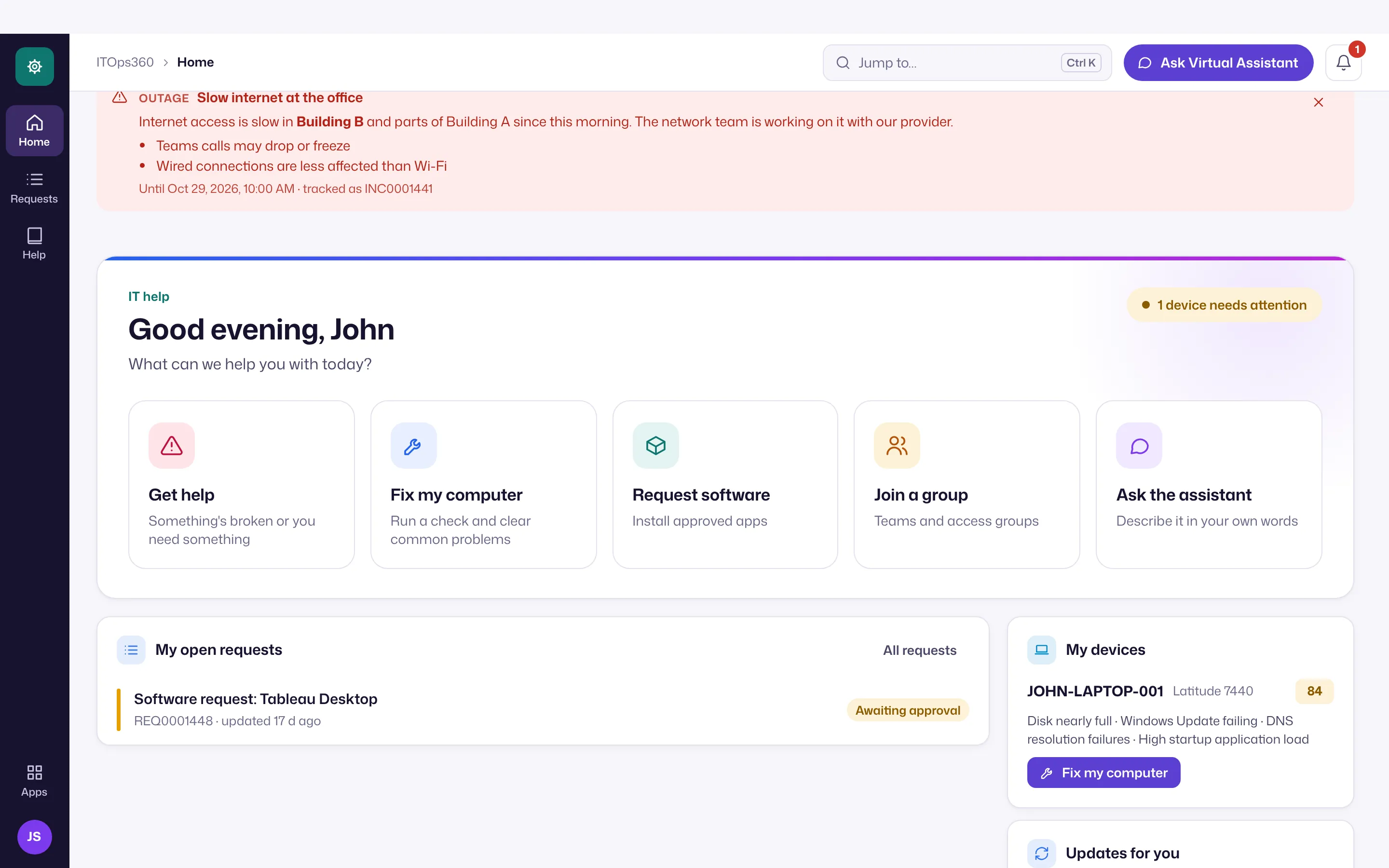
The employee portal is the web home for self-service, alongside the Teams and Slack assistant. Employees get a simpler layout than technicians: Home, My requests, Help articles and, for people who approve group requests, Approvals. Home has large tiles for Get help, Fix my computer, Request software, Join a group and Ask the assistant (the Virtual Assistant), plus any active announcements and the person’s open requests and devices.
Technicians can see the same thing with Employee view in their avatar menu.
What employees get
- A self-service portal to raise and track requests.
- Request forms for common needs, so the right information is captured up front.
- A software catalog of approved applications employees can request.
- The published knowledge base for self-help.
Default request templates
Every organization starts with a built-in library of request templates for the commonest service-desk needs, so the Requests catalog is useful from day one rather than empty. Templates span people and access (onboarding, offboarding, password reset, unlock, MFA, enable or disable, group membership, license, access, role change), email and collaboration, software and devices, hardware, network and security. Each pre-fills the right category, impact and urgency so triage, SLAs and priority work out of the box.
A template only pre-fills a request — the existing approval and automation rules still decide what happens when it is actioned, so a template adds no new privilege. Administrators can add, edit or remove templates, and new defaults are added for existing customers without disturbing their own.
Approvals built in
Catalog items and request forms can require approval before they are fulfilled — for example a manager’s sign-off for paid software — using the same policy and four-eyes model as the rest of the platform.
Set it up
Open Admin → Settings: Software catalog to curate what employees can request and which items need approval, Group requests for group membership requests, and Organization for the portal name employees see. Branding (your name, logo and custom domain) is on the roadmap.