For service providers
Manage many customer organizations, each with its own people, connections, spend and audit trail.
Online version, always current: https://cloudvision360.com/docs/agentvision360/service-providers/
Service providers run AgentVision360 for many customers at once, with each customer cleanly separated.
Customer organizations
Each customer is its own organization, with its own people, provider connections, spend and audit trail. Nothing leaks between customers.
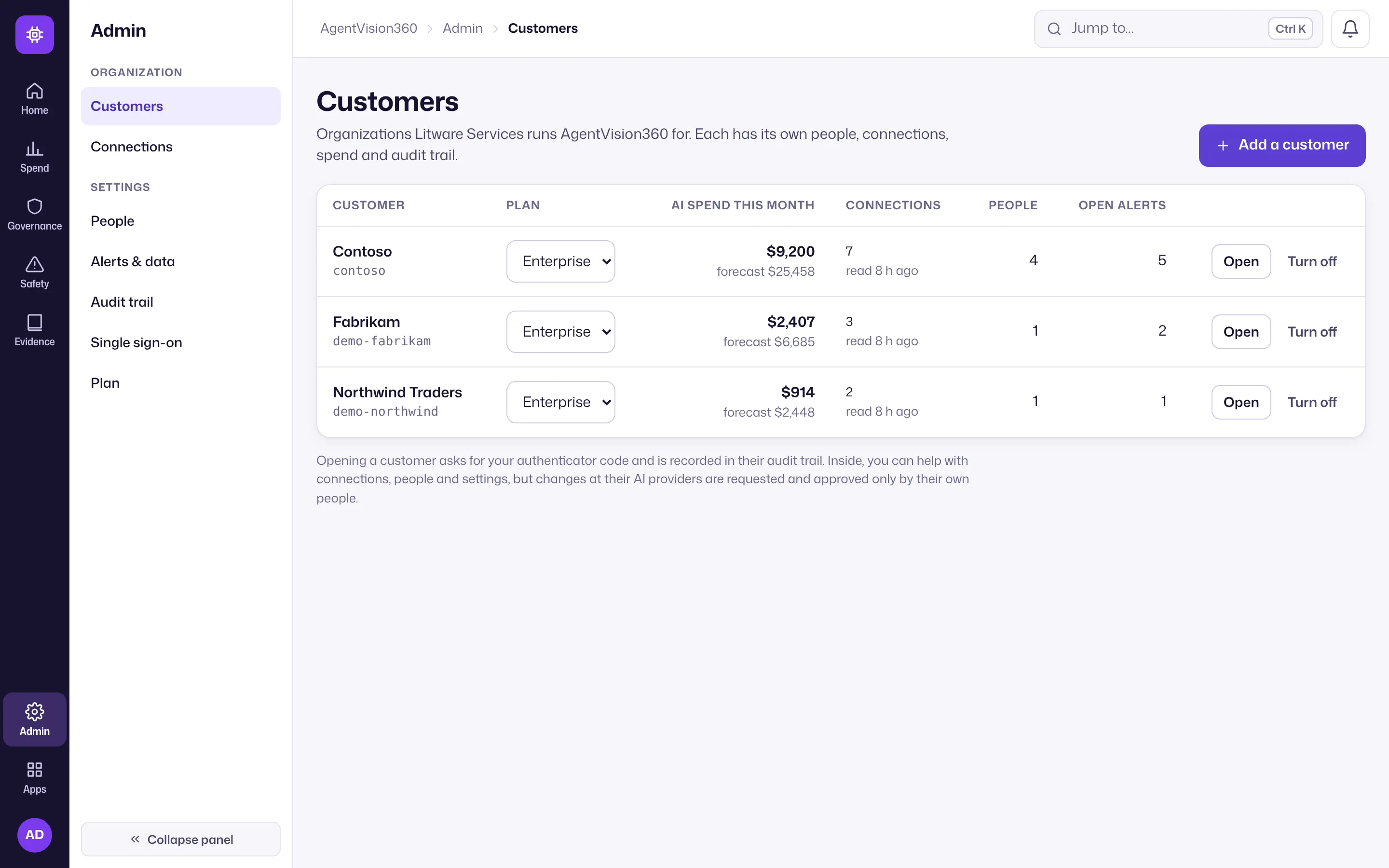
Add a customer
From the Customers console (Admin → Customers), add a customer and their first administrator. The one-time password is shown once — hand it over securely. The customer’s administrator then connects their own AI accounts and invites their people.
Helping a customer
You can open a customer to help, but only after an authenticator check, and every visit and change is recorded in that customer’s audit trail. Provider staff cannot manage a customer’s people, and cannot request or approve changes at the customer’s AI providers — those stay with the customer.
Pricing
Service providers are billed per customer organization (each up to a tracked-spend cap), with the Customers console included. See the pricing page for current terms.
Get started
Open Admin → Customers → Add a customer to onboard your first one. Each customer then follows connect providers in their own organization.