Saved views and group by
Save how a big list is filtered, sorted and grouped, share it with your organization, and group rows with collapsible headers and totals.
Online version, always current: https://cloudvision360.com/docs/cloudvision360/saved-views/
The big lists in CloudVision360 (findings, identities, resources, cost, savings and remediation) can be saved as named views and grouped with collapsible headers, so the slice you need every week is one click away.
Where you can use them
| Page | Group by | Built-in shared views |
|---|---|---|
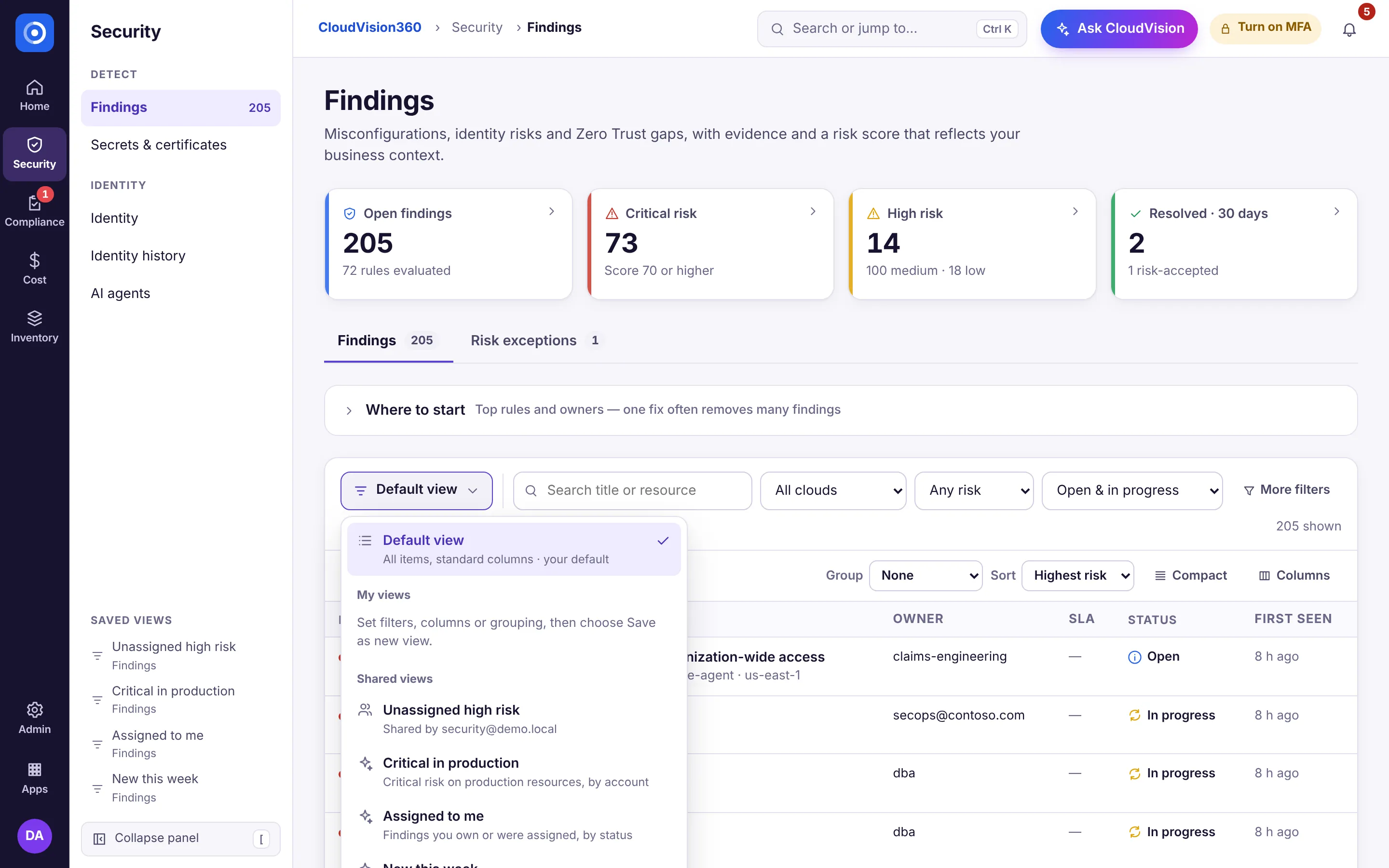
| Security → Findings | Risk, cloud, account, owner, status, category, application, environment | Critical in production · Assigned to me · New this week |
| Security → Identity | Cloud, kind, account, privilege, MFA | Privileged without MFA · Guests by cloud · Privilege levels |
| Compliance → Remediation | Status, requester, cloud, action | Waiting for approval · By requester |
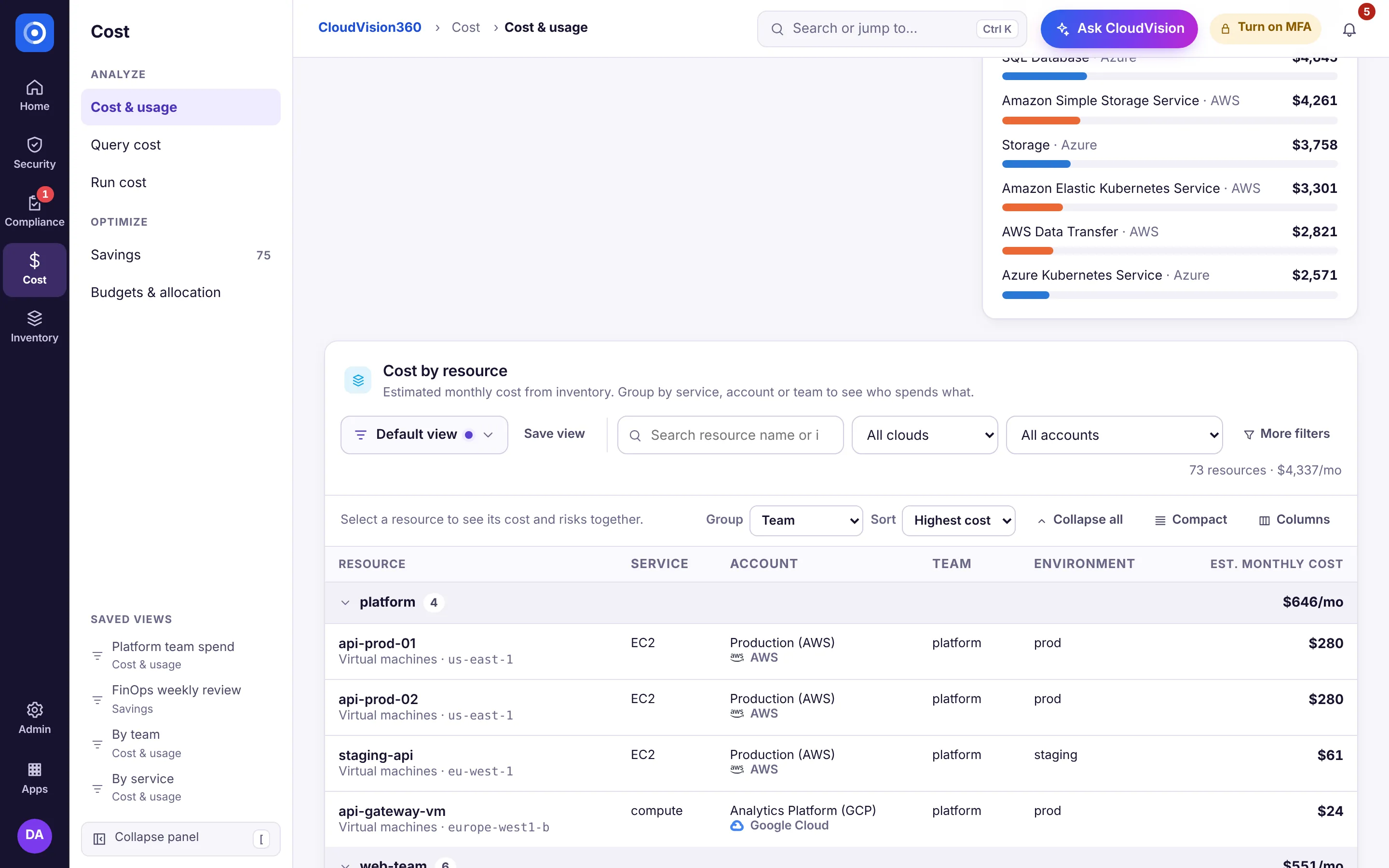
| Cost → Cost & usage (Cost by resource) | Service, account, team, cloud, environment, application, with totals | By team · By service · Production by account |
| Cost → Savings | State, type, cloud, owner, change risk, application, with totals | Quick wins · Approved, not yet done · Open by type |
| Inventory → Inventory | Cloud, type, account, region, owner, environment | Missing an owner tag · Virtual machines by account · By region |
Cost by resource on the Cost & usage page lists resources from your inventory with an estimated monthly cost, so you can group spend by team (the team tag, else the owner tag), service or account.
What a view keeps
A view stores the filters, visible columns, sort, group by, which groups are collapsed and the row density. It never stores data or permissions: every list is loaded with the viewer’s own access, so sharing a view shares a way of looking, not what is in it. Assigned to me means whoever opens it.
Save, share and set a default
- Change the list. An Edited dot appears on the Views button, with Save (or Save view) next to it. The menu also has Save as new view, Rename, Share with organization or Make private, Set as my default and Delete.
- Sharing with the organization needs the right to curate reports for the organization (security and FinOps analysts, cloud admins and customer admins have it). Everyone else can keep private views and Save a copy of shared ones.
- Tenant administrators can edit, unshare and delete any shared view.
- The selected view is in the address (
?view=…), so a link opens the same view for a colleague who can open that page. An unknown or private view falls back to the default with a short notice. - Limits: 50 views per person per page and 100 shared views per page. Creating, changing, sharing and deleting views is audited.
Group by
The table tools row has Group, Sort, Collapse all / Expand all, Compact rows and Columns. Group headers show the count and, for money, the total, and collapse with a click. Grouping works across pages: collapsed groups are left out of the paging, so counts and totals cover every matching row.