Savings recommendations
Savings that carry their change risk and security impact, and move from estimated to verified.
Online version, always current: https://cloudvision360.com/docs/cloudvision360/savings-recommendations/
Savings that are approved but never implemented, or implemented but never checked, are the norm in most FinOps tools. CloudVision360 follows each saving through to proof.
Savings with their side effects
Each recommendation shows the monthly saving, the change risk, and the security impact — because turning off a resource or downsizing it can affect posture. Recommendations come from the providers’ native advisors (Advisor, Cost Explorer / Cost Optimization Hub, Recommender) and from CloudVision360’s own rules.
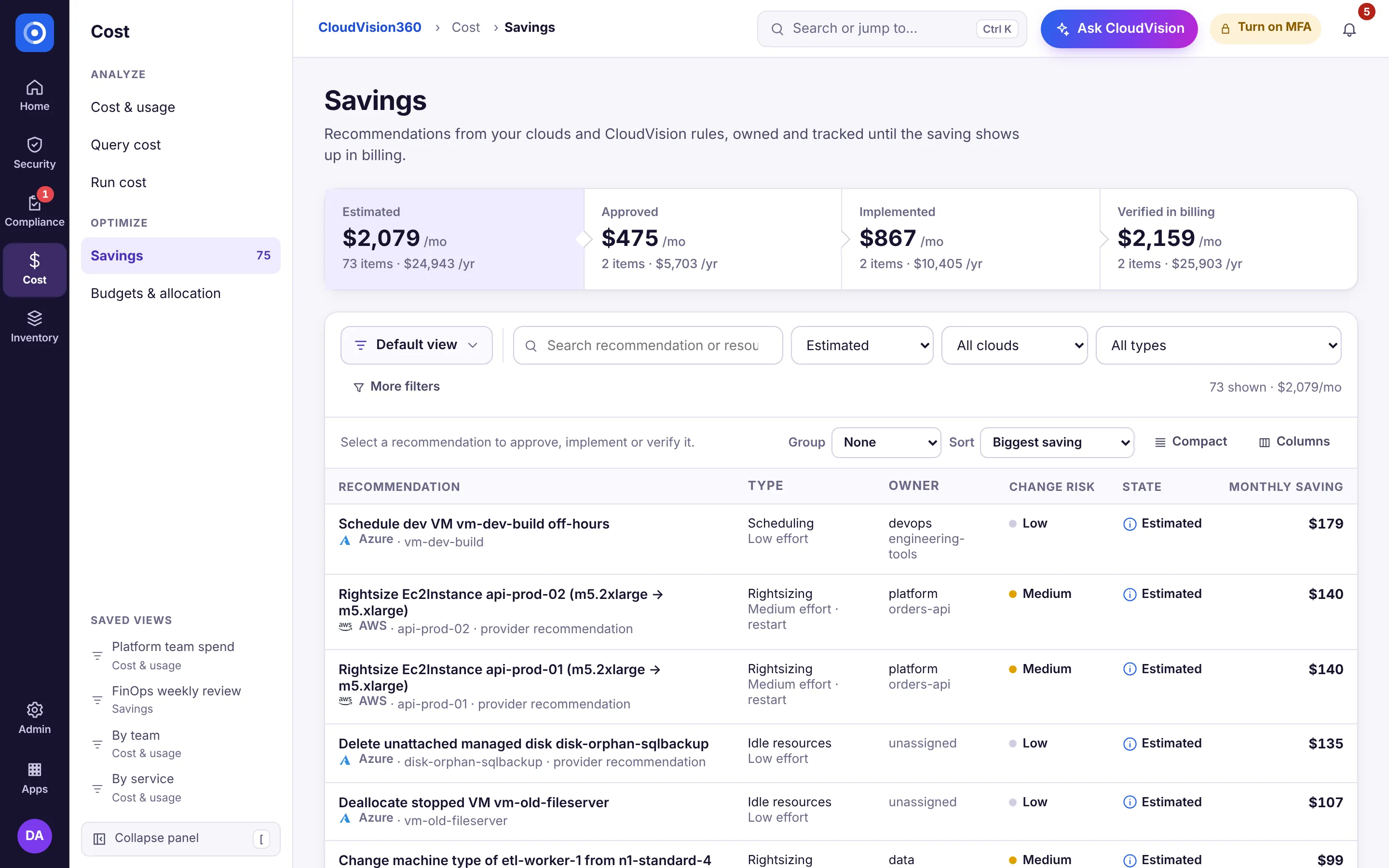
From estimated to verified
A saving moves through a lifecycle:
- Estimated — the recommendation and its projected monthly saving.
- Approved — a person signs off, through the same policy and approval path as any change.
- Implemented — the change is made.
- Verified — CloudVision360 checks the resource itself to confirm the change took effect.
Only verified savings are counted in the verified outcomes report, cross-checked against the bill.
Act on a recommendation
Open Cost → Savings, review the saving, risk and security impact, and either raise a ticket or run it through governed remediation. The next scan verifies the result.