What is AgentVision360
Know what your company spends on AI, and who holds the keys, across every provider — read-only by default.
Online version, always current: https://cloudvision360.com/docs/agentvision360/overview/
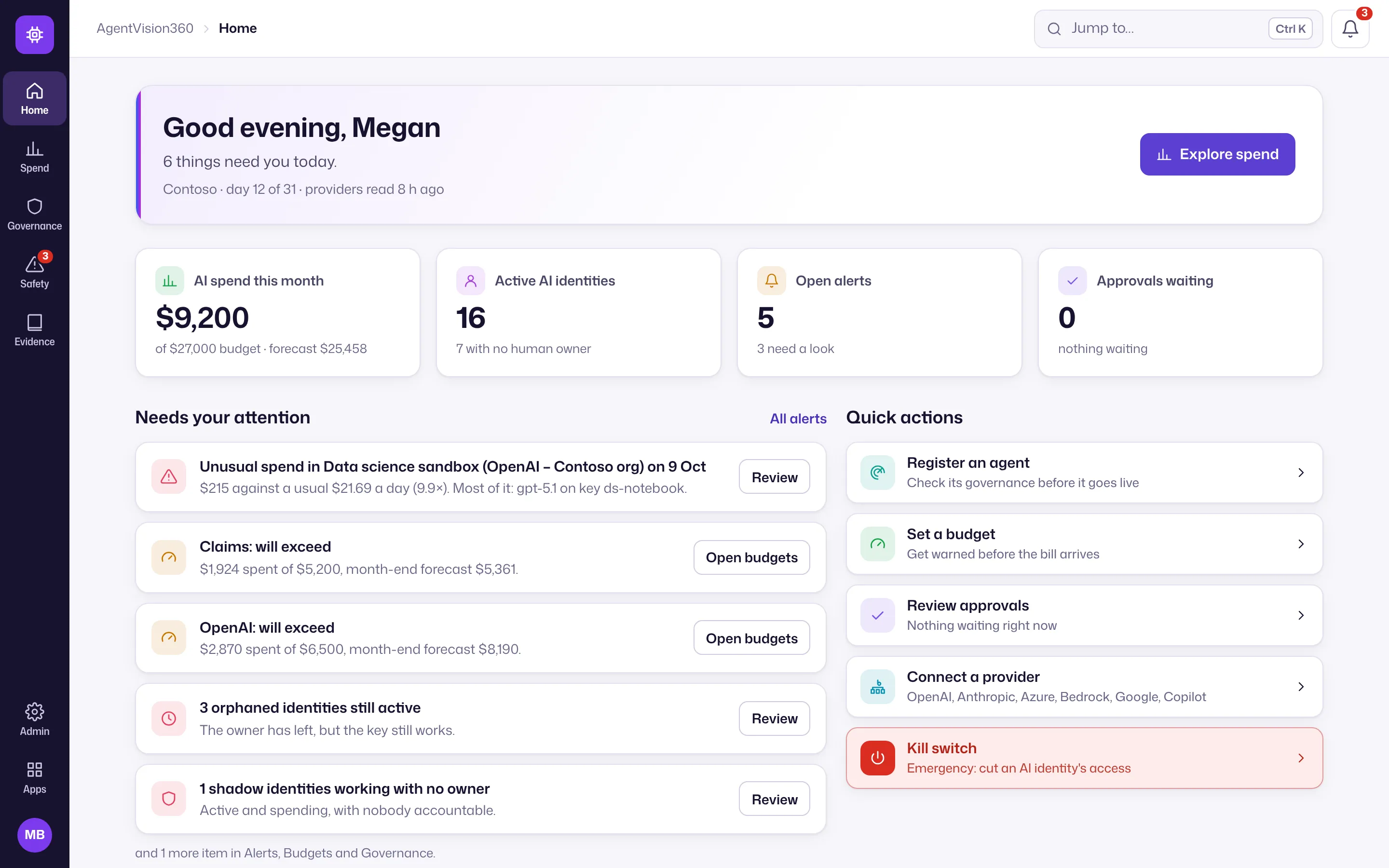
AgentVision360 reads billing, usage, keys and seats from your AI providers and puts them in one place: spend by provider, model, project and team, budgets with month-end forecasts, idle paid seats, and every API key with its owner and last use.
AgentVision360 is in early access. Book a live demo, or ask for a 30-day trial on your own accounts.
What it covers
- Spend — daily cost across every provider, explorable and exportable.
- Budgets & chargeback — budgets with early warnings, and spend allocated to teams.
- Keys & access — a register of every API key and its risks.
- Paid seats — Copilot seats bought, assigned, used and idle.
- For service providers — manage many customer organizations.
The icon rail on the left has five hubs: Home; Spend (Spend explorer, Teams & chargeback, Budgets, Paid seats); Governance (Governance, AI identities, Keys & access, Lifecycle, Autonomy, Readiness); Safety (Alerts, Approvals, Kill switch); and Evidence (Audit pack). Customers, Connections and Settings are under Admin at the bottom of the rail. Big lists (Spend explorer, AI identities, Keys & access, Alerts, Approvals) have saved views and group by, as in CloudVision360. See find your way around.
Read-only by default
Unless your organization turns on approved actions, AgentVision360 changes nothing at the providers — it only reads. It never sees your prompts or responses, only billing, usage counts, keys and seat assignments.
Secure by design
Mandatory MFA, roles for owners, admins, FinOps, security and viewers, encrypted credentials that are never shown again, and a hash-chained audit trail.
Get started
See connect providers.