Native backup
Encrypted backups of Microsoft 365 and vSphere VMs to storage you own, restorable only through ITOps360.
Online version, always current: https://cloudvision360.com/docs/itops360/native-backup/
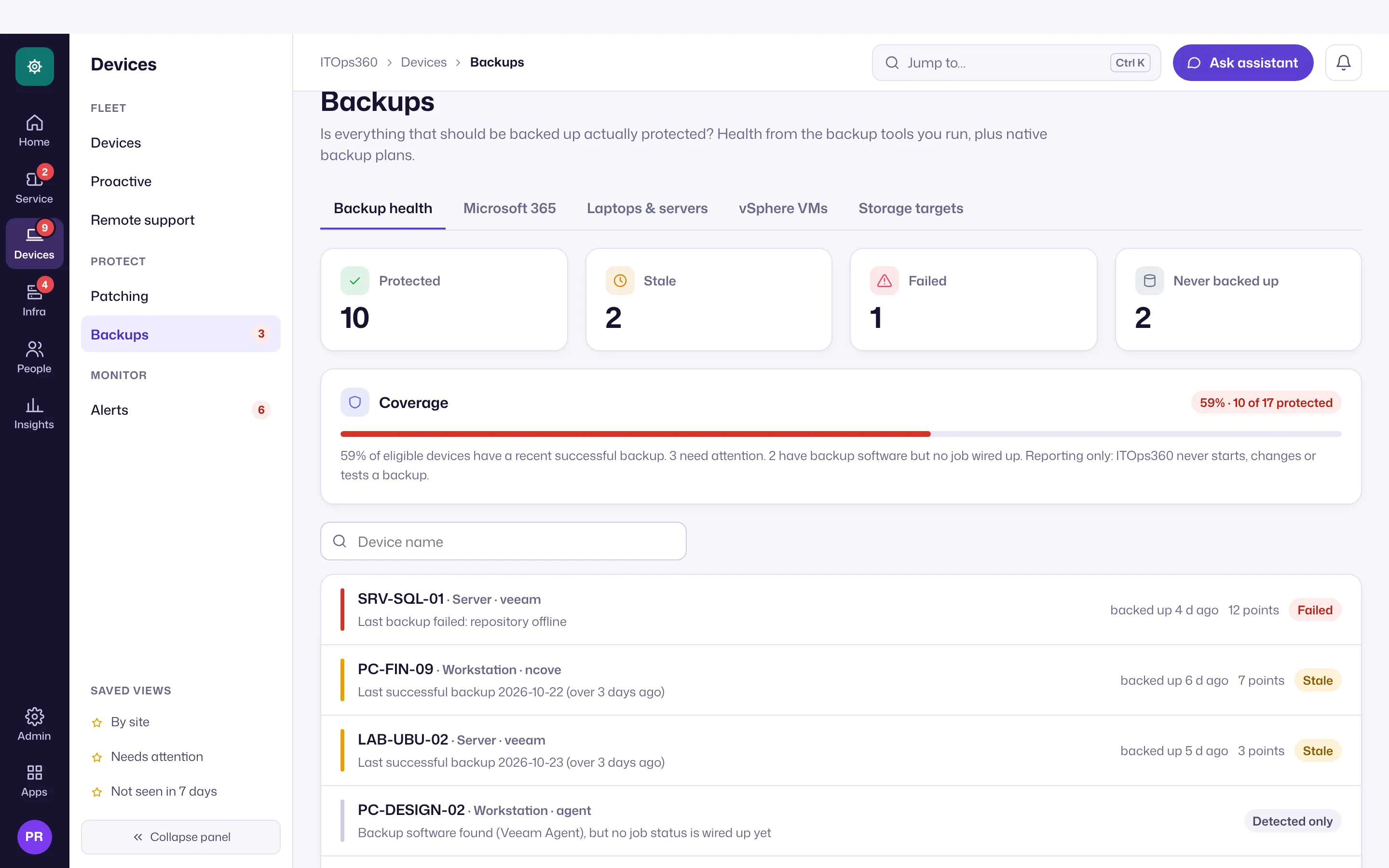
Backup is moving to BackupVision360. The backup engine, workloads and restores move to BackupVision360, the platform’s backup and recovery product (in early access), one organization at a time. ITOps360 keeps the backup health view: per-device health, alerts and tickets for the backup tools it watches today, and for BackupVision360 once you link the two products. Until your organization moves, everything on this page keeps working in ITOps360.
ITOps360 native backup is built on a simple promise: we never hold your data, and only our tool can restore it. Encrypted, de-duplicated chunks are written to storage you own — your NAS, SAN, local disk, or your own cloud bucket. ITOps360 keeps only the catalog and the wrapped keys.
Encrypted in your storage
- Your storage. Backups land in your own target. ITOps360 never stores a copy of your data.
- Encrypted before it is written. Each chunk is encrypted with its own key (AES-256-GCM). Those keys are wrapped by an ITOps360 key and kept only in the catalog, never beside the data, so raw access to the bucket yields opaque ciphertext. To hold the key yourself in AWS KMS, Azure Key Vault or Google Cloud KMS, use BackupVision360 (Business and up).
- Restore through us. The catalog that maps a restore point to its chunks lives in ITOps360, so recovery runs through the tool — and every restore is step-up verified and written to the hash-chained audit trail.
No storage markup: the storage is your own bill, priced per seat (SaaS) or per device.
What you can protect
- Microsoft 365 — Exchange mailboxes, OneDrive and SharePoint, through Microsoft Graph, on-demand or on a schedule. An air-gapped copy off the tenant, not a second copy inside it.
- VMware vSphere VMs — image-level backup of vCenter-managed VMs with changed-block tracking (CBT) for fast incrementals, landing on your NAS/SAN. Map your vCenter, pick VMs by cluster or host, and back them up.
- Backup health — read-only status across the backup tools you already run (Veeam, Cove, Datto and others), so coverage gaps are visible even before you move a workload onto ITOps360.
Storage targets
Add the storage backups land on under Devices → Backups → Storage targets: a mounted NAS / file share, a local path, or Azure Blob, Amazon S3, Google Cloud Storage and S3-compatible stores. Cloud credentials are sealed at rest; a built-in test writes and reads back a probe object to confirm reachability.
Incremental and efficient
Content-defined chunking with de-duplication means unchanged data is never stored twice — every run is a full restore point, but only new chunks are written (incremental-forever). vSphere backups additionally read only changed blocks via CBT.
Restore, governed
Restoring a backup needs the Backup.Restore permission and multi-factor step-up, and each restore — successful or denied — is recorded in the audit trail.
Set it up
Open Devices → Backups in the section panel, choose a tab (Microsoft 365, Laptops & servers, vSphere VMs or Storage targets), add a storage target, then create a backup plan and run it. For new backup projects, start with BackupVision360. Administrators can find the full architecture, the key model and the vSphere mover deployment in the ITOps360 native backup admin guide.