Fix My Computer
Live diagnostics and policy-filtered fixes an employee or technician can run safely.
Online version, always current: https://cloudvision360.com/docs/itops360/fix-my-computer/
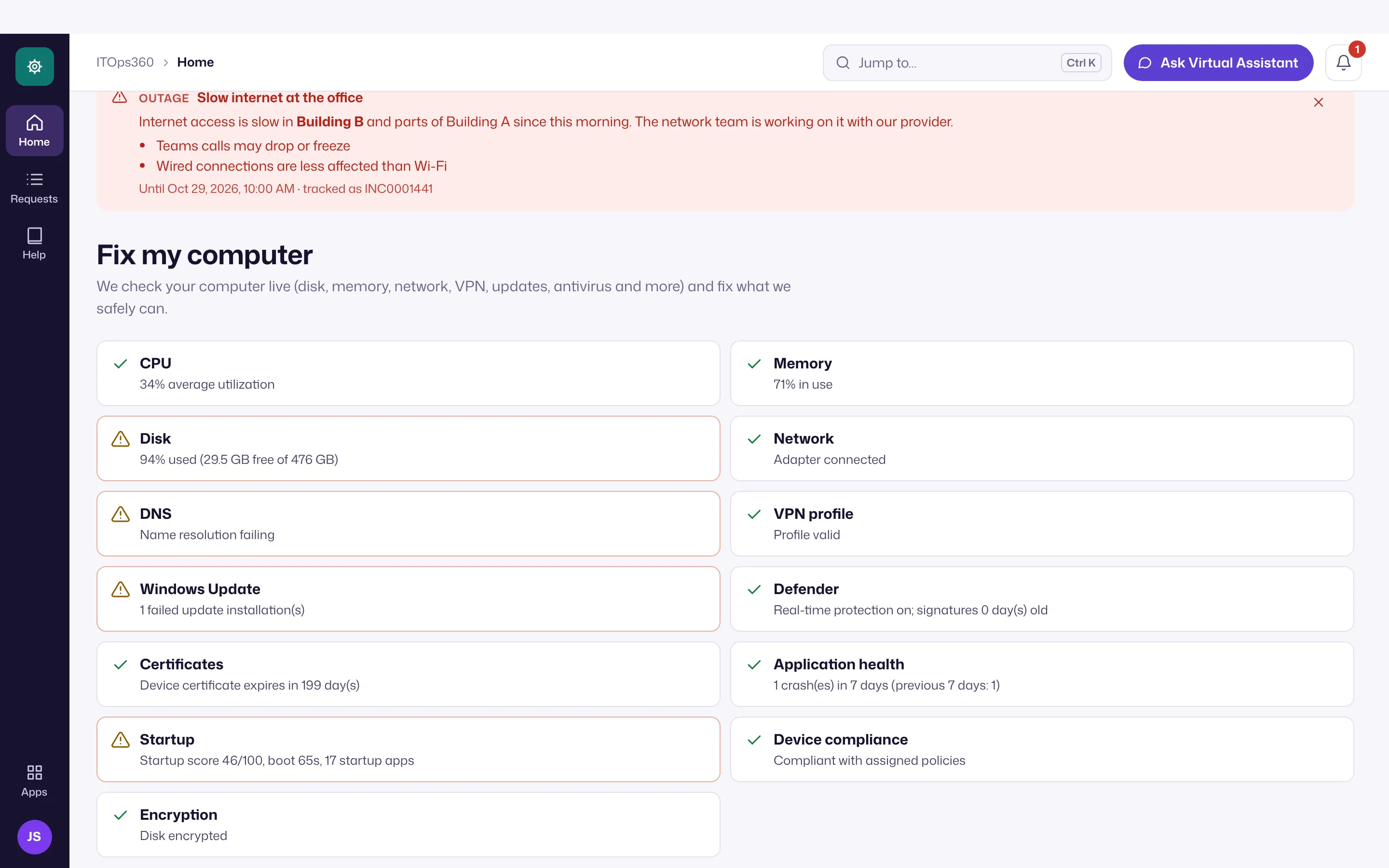
Fix My Computer runs live diagnostics on a device and offers fixes — but only the ones policy allows for that user and device.
What it does
It runs diagnostics on the device and presents policy-filtered fixes: restart a stuck service, clear a cache, re-apply a configuration, and similar common remedies. The list a person sees is exactly the set the policy engine returns as executable for them, on that device.
No free-form commands
There is no arbitrary shell. Fix My Computer can only run actions from the allow-list, so neither an employee nor a technician can use it to run something unapproved. Riskier actions require approval or MFA step-up per policy.
Who can run it
- Employees, from the Teams/Slack assistant or the portal, for self-service.
- Technicians, from a ticket or the device view.
Verified
Every action is signed and sent to the device, and the result is verified — the same governed path as all automation.