Workload and announcements
See who is overloaded and rebalance with one click, and tell employees about outages and maintenance so they don't open the same ticket twenty times.
Online version, always current: https://cloudvision360.com/docs/itops360/workload-and-announcements/
Two pages in the Service desk hub help a lead run the desk: Workload for the technicians, Announcements for everyone else. Both need the right to assign tickets.
Workload
Open Service desk → Workload.
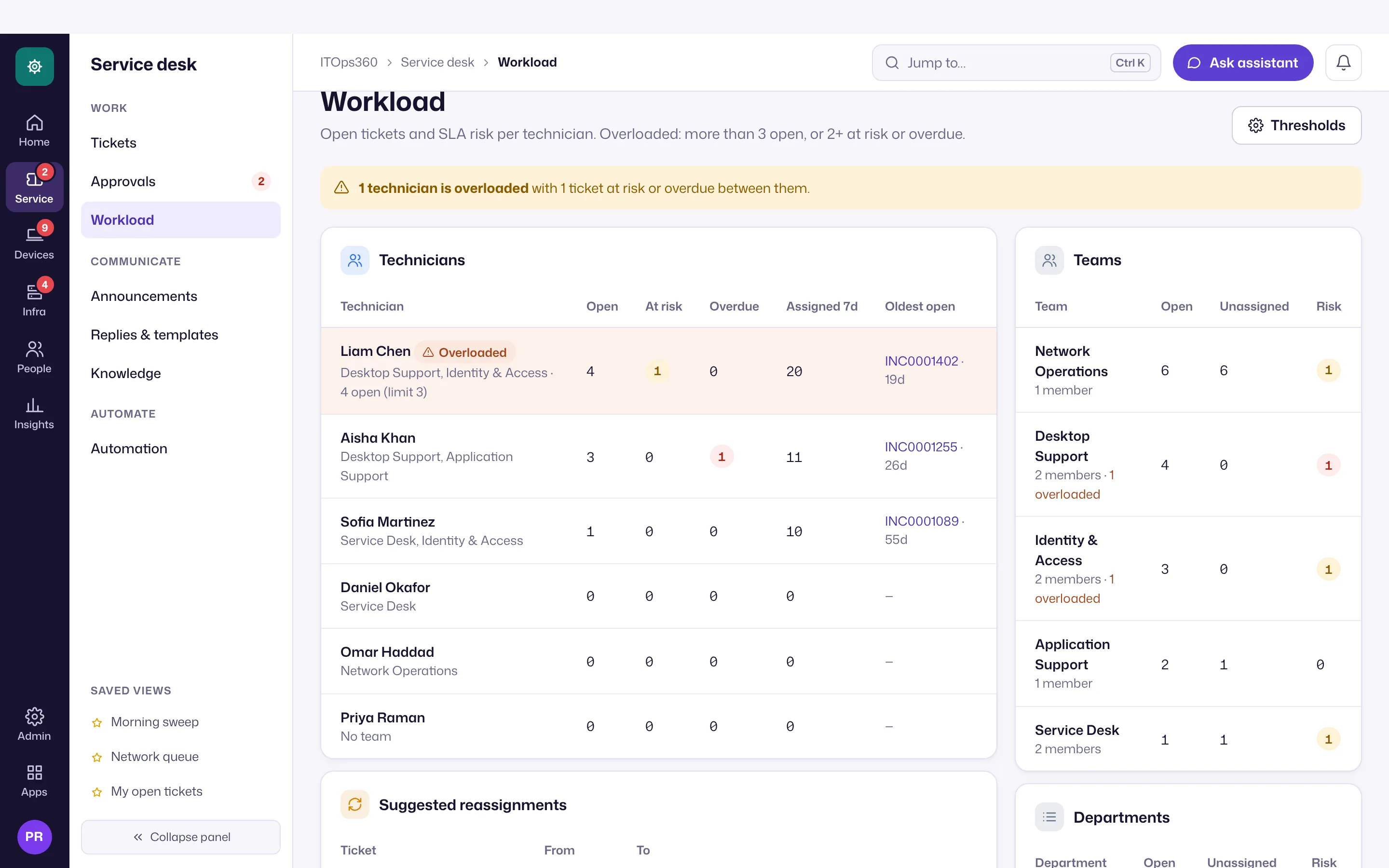
- Per technician: open tickets, at risk (at the SLA policy’s warning threshold or due within 4 hours, not paused), overdue, assigned in the last 7 days, and the oldest open ticket.
- Per team and department: members, open, unassigned, at risk, overdue, and how many members are overloaded.
- Overloaded means more than 15 open tickets, or 3 or more at risk or overdue. Change both under Thresholds (needs settings rights; audited).
Suggested reassignments. For each overloaded technician, up to three of their most urgent tickets are suggested for the least-loaded colleague who works that ticket’s team and isn’t overloaded themselves. Nothing moves until someone clicks Reassign, which goes through the normal assignment rules and is audited.
Vision Agent’s Today brief tells people who can assign tickets when technicians are overloaded, with a link to this page.
Announcements
Open Service desk → Announcements to put a banner in front of employees: an outage, planned maintenance or a known issue.
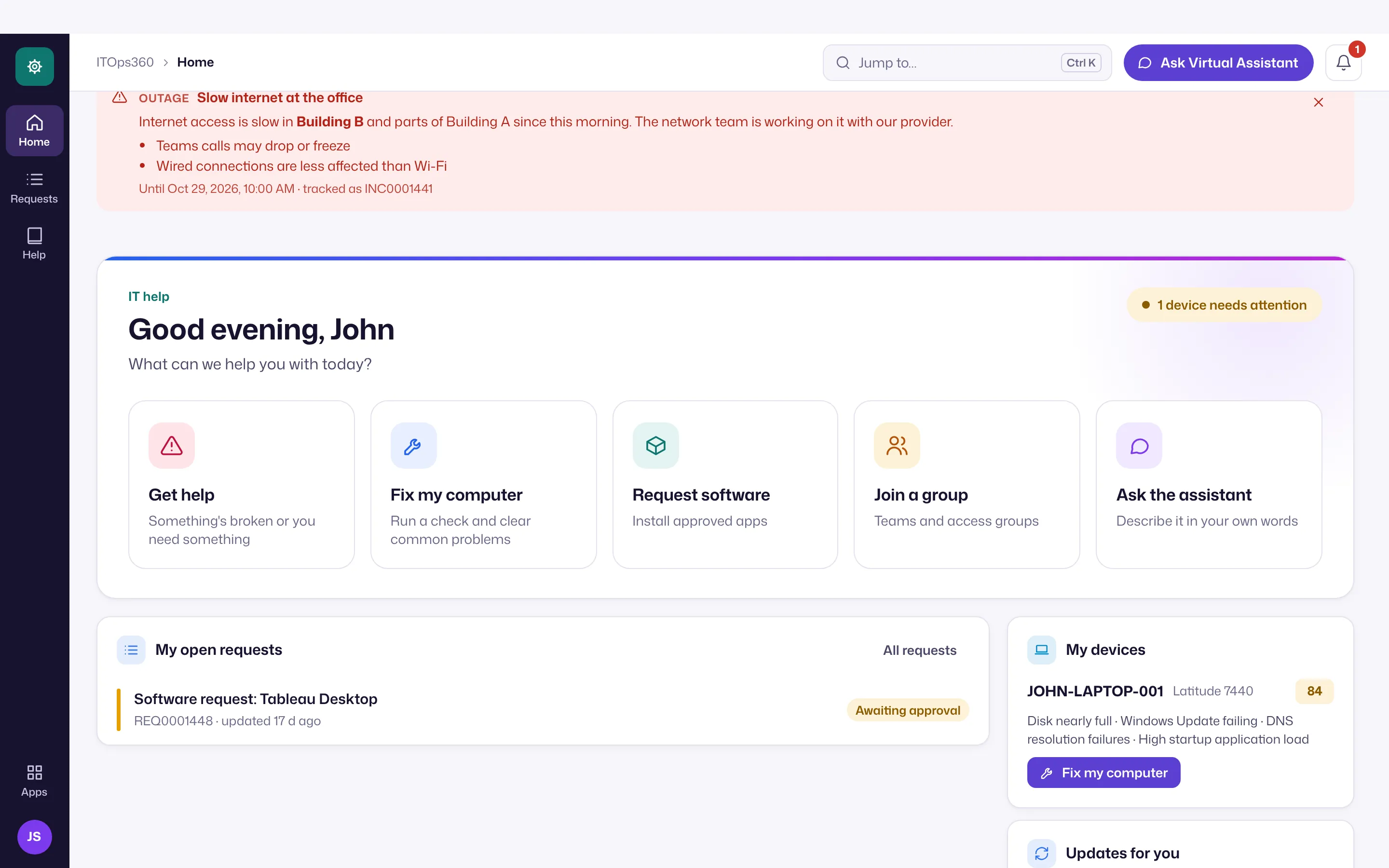
- Title, message and severity (info, maintenance or outage), with a start and an end time: announcements expire on their own (at most a year), and End now stops one early. Up to 20 can be active or scheduled.
- Audience: all requesters, or chosen departments or sites (from the person’s directory department or office).
- Known issue on the request form. Link the announcement to a ticket and tick Show on the new-request form. Employees who go to report the problem see “No need to open a new ticket” and This affects me too, which makes them a follower of that ticket instead of opening another.
- Safe text: plain text with bold, italic, bullets and links (https or in-app only). HTML is removed when saved and nothing in a message can run.
Creating, changing and ending an announcement is recorded in the audit trail.