Cloud inventory and drift
One normalized inventory across Azure, AWS and GCP, with auto-discovery, ownership and change history.
Online version, always current: https://cloudvision360.com/docs/cloudvision360/cloud-inventory/
Every cloud describes resources differently. CloudVision360 builds one normalized inventory across Azure, AWS and Google Cloud so you can reason about your whole estate in one model.
One model, every provider
Resources from each provider are mapped into a single schema with consistent kinds and properties, so a virtual machine, a storage bucket or an identity looks the same whichever cloud it came from.
Auto-discovery
New AWS accounts and Azure subscriptions under a connected organization or management group are discovered and assessed automatically, so your inventory never falls behind the estate. See connect AWS and connect Azure.
Ownership and business context
Owner, application, environment and criticality are read from your tags. That context flows into risk scoring, routing and reporting, so a finding on a production, customer-data resource outranks the same finding on a sandbox.
Drift and change history
Every scan records what changed since the last one and alerts on the changes that matter. When a change breaks a control, it shows up at the same time as a drift event, a finding and a compliance gap. The full change history is kept for investigations.
Use it
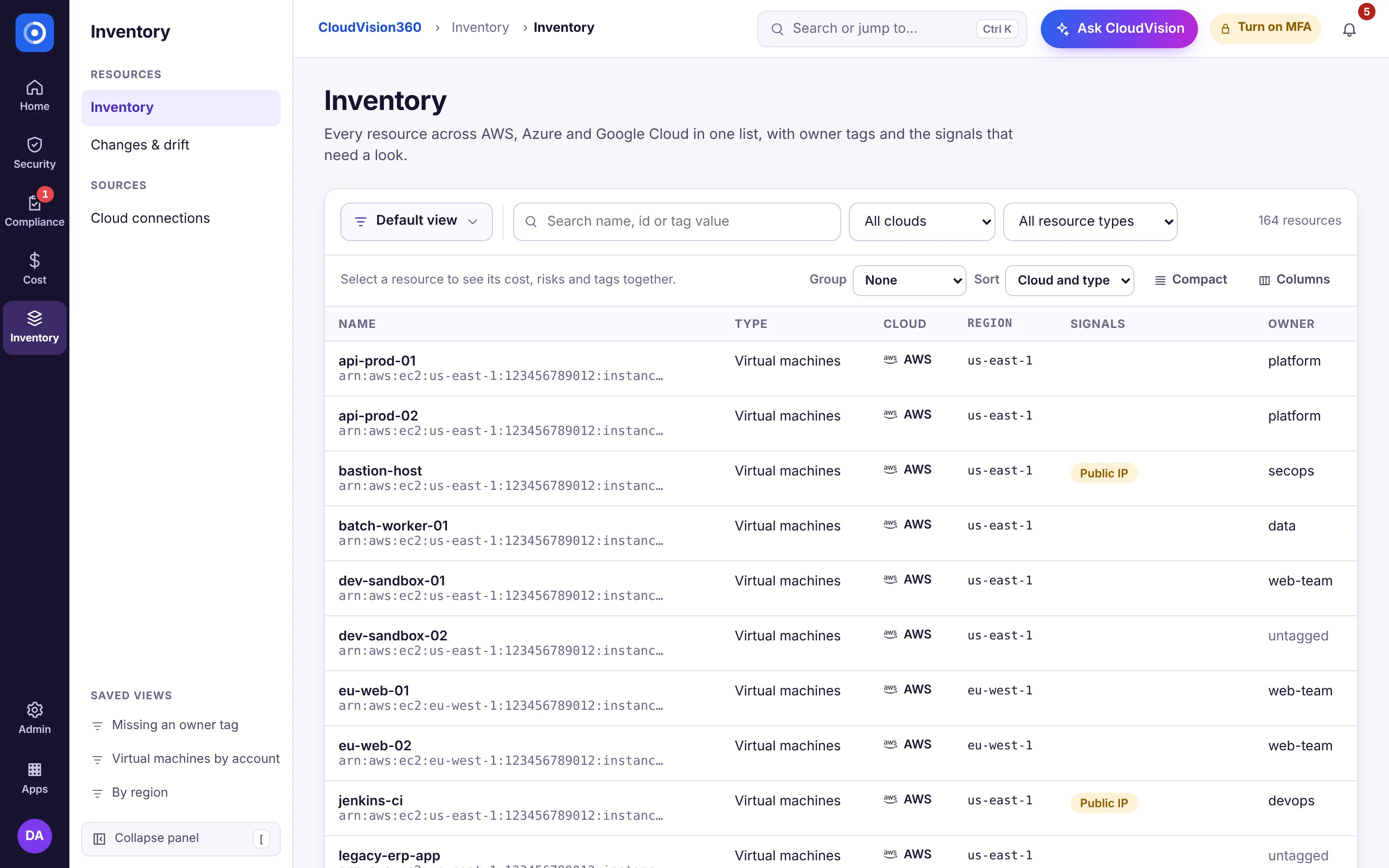
Open Inventory → Inventory to browse or filter by provider, kind, account, environment or owner, and open any resource to see its properties, its findings and its change timeline.