Plans and protected items
Free for up to 10 protected items of any mix, then priced per item. What counts as an item, what each plan includes, and how limits work.
Online version, always current: https://cloudvision360.com/docs/backupvision360/plans/
BackupVision360 is priced per protected item. People are never limited and single sign-on is included in every plan. Current prices are on the pricing page.
What counts as an item
| Item | Examples |
|---|---|
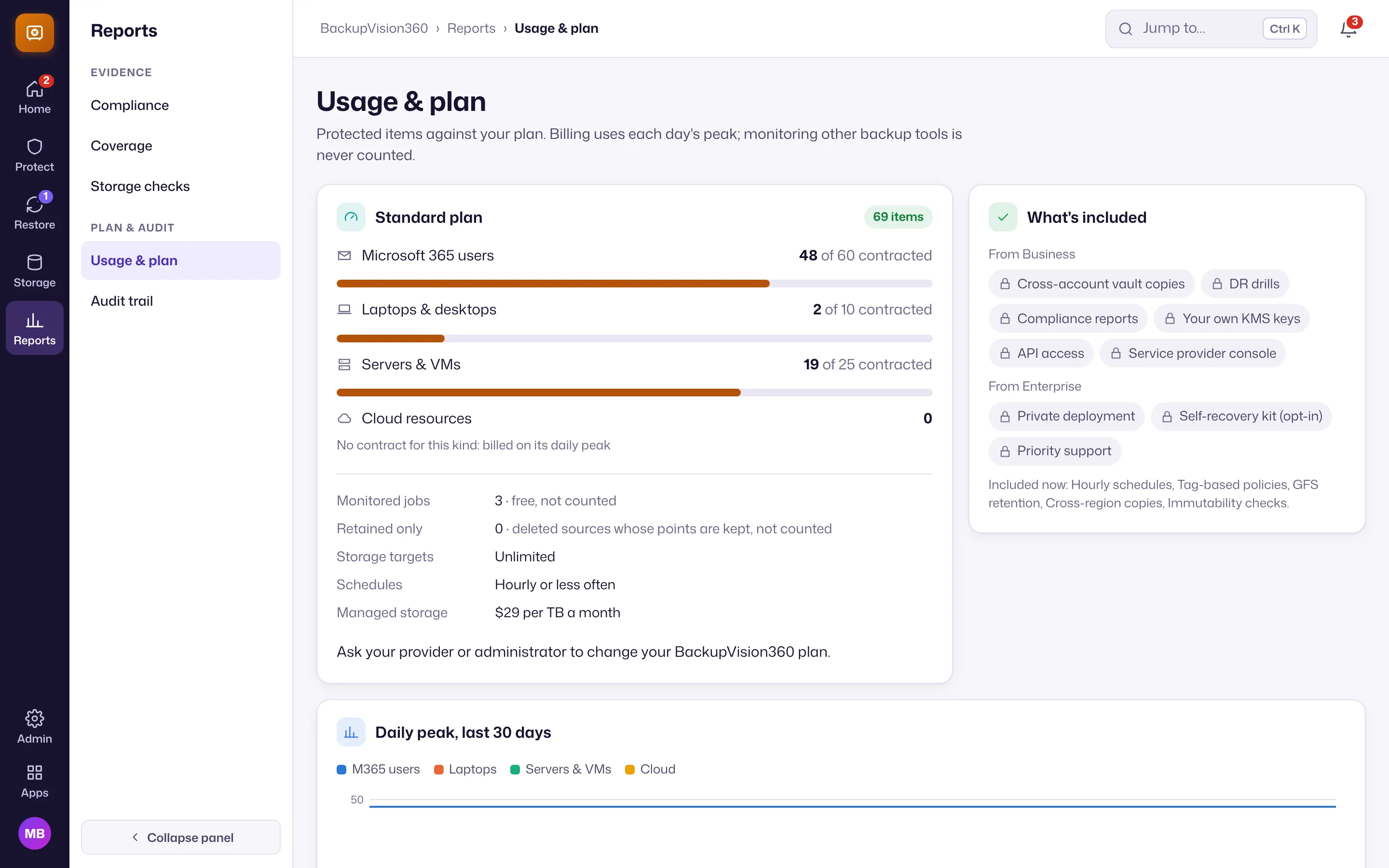
| Microsoft 365 user | One person’s mailbox and OneDrive together. Shared mailboxes, SharePoint sites and Teams are free up to one per protected user |
| Endpoint | A laptop or desktop, through the ITOps360 agent |
| Server or VM | A vSphere VM or a physical server |
| Cloud resource | An instance with its disks, a volume, a database or a file system |
| Monitored job in another tool | Never counted |
Resources that were deleted but still hold restore points aren’t billed.
Plans
| Free | Standard | Business | Enterprise | |
|---|---|---|---|---|
| Items | Up to 10, any mix | Per item | Per item | Volume pricing |
| Schedules and retention | Daily, kept 30 days | Hourly, any retention | Hourly, any retention | Hourly, any retention |
| Storage targets | 1 | Unlimited | Unlimited | Unlimited |
| Managed storage (coming soon) | 10 GB included, then $29/TB/month | $29/TB/month | $29/TB/month | $29/TB/month or contract |
| Tag policies, GFS retention, cross-region copies, immutability checks | ✓ | ✓ | ✓ | |
| Vault copies, your own KMS key, compliance reports, API access, Customers console | ✓ | ✓ | ||
| Private deployment, self-recovery kit (opt-in), priority support | ✓ | |||
| Monitoring other backup tools | Free | Free | Free | Free |
How limits work
- Free is a hard limit of 10 billable items. New selections or tag matches beyond it are refused and listed as Unprotected: plan limit, never skipped silently.
- Paid plans can carry a contracted quantity per kind, with 10% grace; beyond that new items are refused and existing ones keep running.
- Usage is metered on each day’s peak. Reports → Usage & plan shows items against your plan, day by day.
- A downgrade keeps all data and configuration; only new use beyond the plan is refused.