Monitoring other backup tools
Watch the backup tools you already run, starting with Veeam Backup & Replication. Free in every plan, and never counted as a protected item.
Online version, always current: https://cloudvision360.com/docs/backupvision360/monitoring-other-tools/
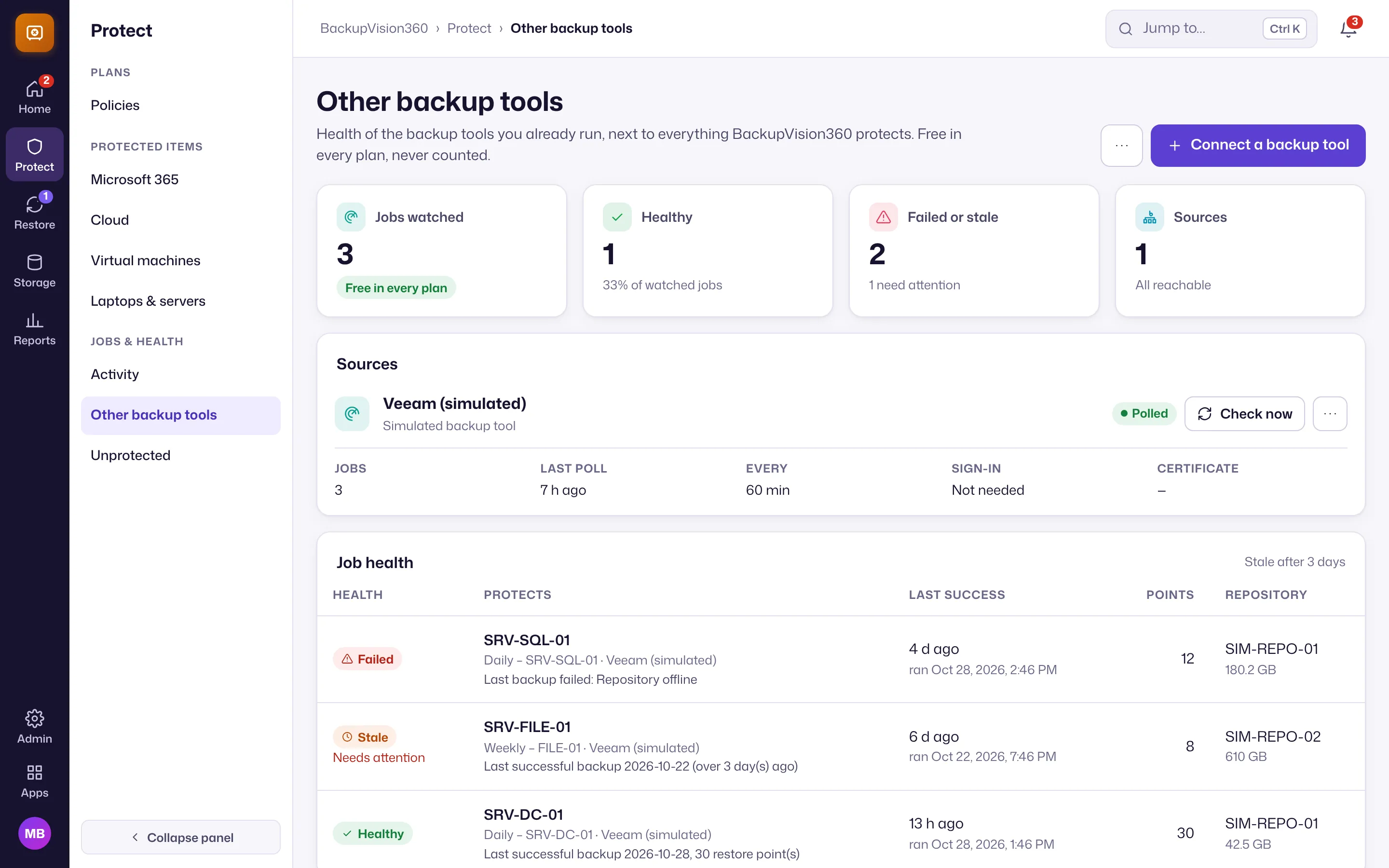
Most companies already run a backup tool somewhere. BackupVision360 watches those jobs next to its own, so failed and missed backups show up in one place, whichever tool ran them. Monitoring is free in every plan and a monitored job is never a billable item.
Supported tools
- Veeam Backup & Replication, through its REST API (port 9419), read only. You can pin the server’s certificate thumbprint for a self-signed certificate.
- N-able Cove and Datto (BCDR and SaaS Protection), through their cloud APIs, read only. Each organization is scoped to one client; a service provider can connect once at provider level and map each client to its customer. New in early access.
Connect a tool
Open Protect → Other backup tools → Connect a backup tool, enter the server address and a read-only account. The password is encrypted when saved and never shown again; changing the address or the pinned thumbprint asks for the password again. Up to 10 sources per organization.
BackupVision360 polls each source on a schedule (and on Check now). A source that keeps failing is polled less often, up to once a day, so a dead server doesn’t flood anything.
Health rules
Under the page’s settings you choose, for your organization:
- after how many days without a success a job is stale,
- the minimum restore points a job should have,
- how many failures in a row raise an alert.
Jobs that need attention appear on Home and in Vision Agent’s Today brief as failed or missed backups.
In ITOps360
ITOps360 keeps its backup health view next to each device (Devices → Backups), with alerts and tickets. Link the two products and ITOps360 also shows BackupVision360’s own backups, with laptops and servers backed up through the ITOps360 agent on their device page.