Restores and four-eyes approvals
Every restore is requested by one person and approved by another, both with a fresh authenticator check, and pinned to where it goes.
Online version, always current: https://cloudvision360.com/docs/backupvision360/restores-and-approvals/
A restore is the moment backup data leaves the vault, so BackupVision360 never lets one person do it alone.
Request a restore
- Open Restore → Restore points, find the item (a person, a site, a VM or a server) and pick a point in time.
- Choose where it goes: download (a sealed link, 24 hours), export to another storage target, a dry run that only verifies, or, where the workload supports it, in place.
- Give a reason and confirm with your authenticator.
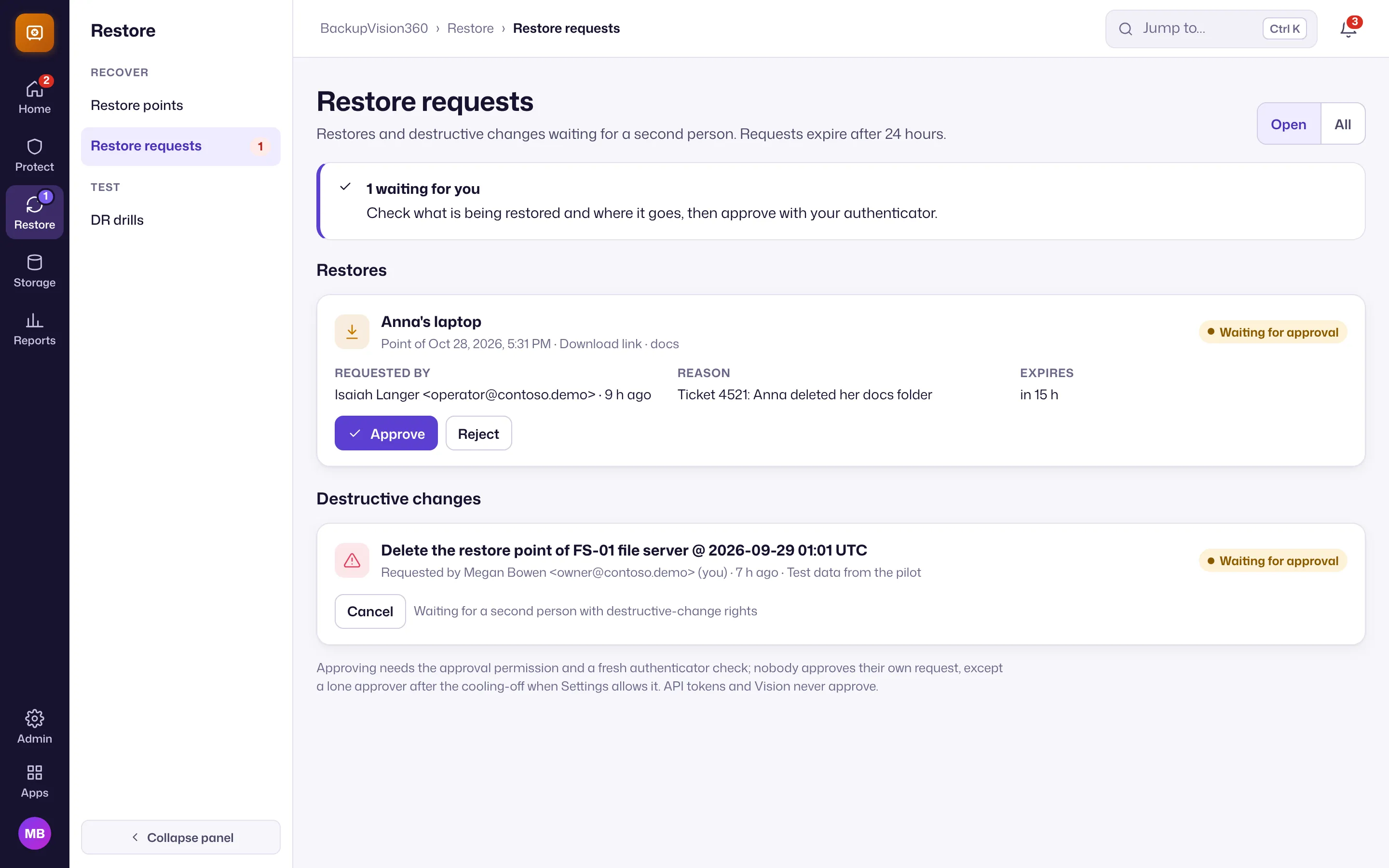
The request names exactly what is restored and where to. That destination is pinned: if the target is changed afterwards, the restore is refused before anything is written. Requests expire after 24 hours.
Approve
A different person with the restore approver right opens Restore → Restore requests, checks what is restored and where it goes, and approves with their own authenticator code. In-place overwrites and restores of production accounts need the elevated approval right. Both sides land in the audit trail.
Vision Agent can turn “restore this” into a pending request for you, but API tokens and Vision Agent can never approve anything.
When only one person can approve
Small teams sometimes have one administrator. Under Admin → Settings → Restores & general you choose what happens when nobody but the requester could approve:
- Allow the requester to approve after a cooling-off period (4 hours by default, 4 to 72): every owner is notified when it is requested and when it is approved, and the audit record is marked
single-approver. - Always need a second person.
The plan sets the default (on for Free and Standard, off for Business and Enterprise). Loosening the rule (allowing self-approval, letting a service provider approve, or shortening the cooling-off) needs the owner role and a fresh authenticator check; anyone with settings rights can tighten it. A plan change never changes the rule by itself.
Service providers
Provider staff working in your organization can request restores; you approve them. If you choose to let your provider approve, a different provider person with elevated rights still has to do it, and it is recorded in your audit trail.