Saved views and group by
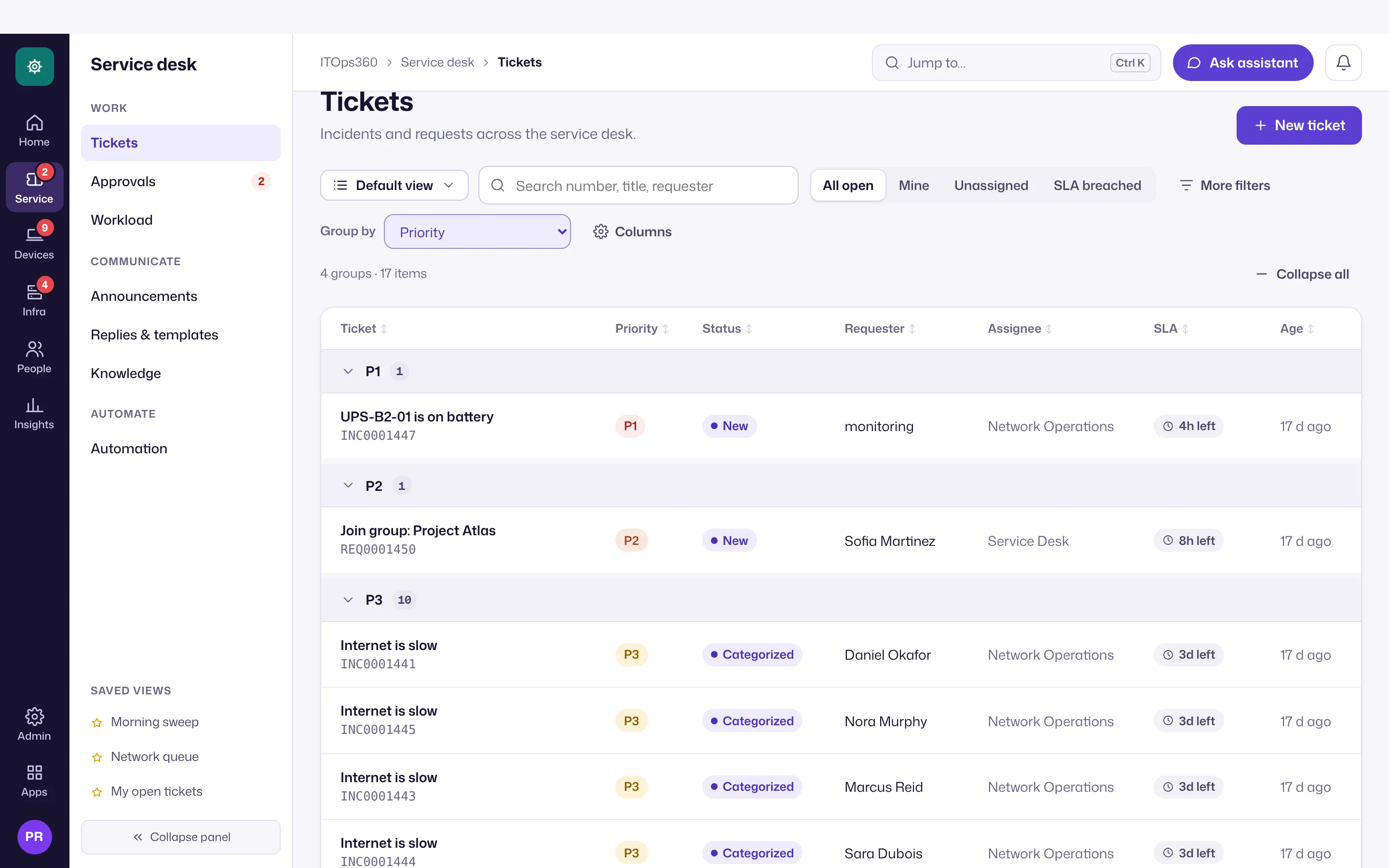
Save how a list is filtered, sorted and grouped, for yourself, your team or everyone, and group big lists with collapsible headers.
Online version, always current: https://cloudvision360.com/docs/itops360/saved-views/
Technicians come back to the same slices of the big lists every day: my P1s, everything about to breach SLA, devices not seen this week. A saved view keeps that set-up one click away.
What a view keeps
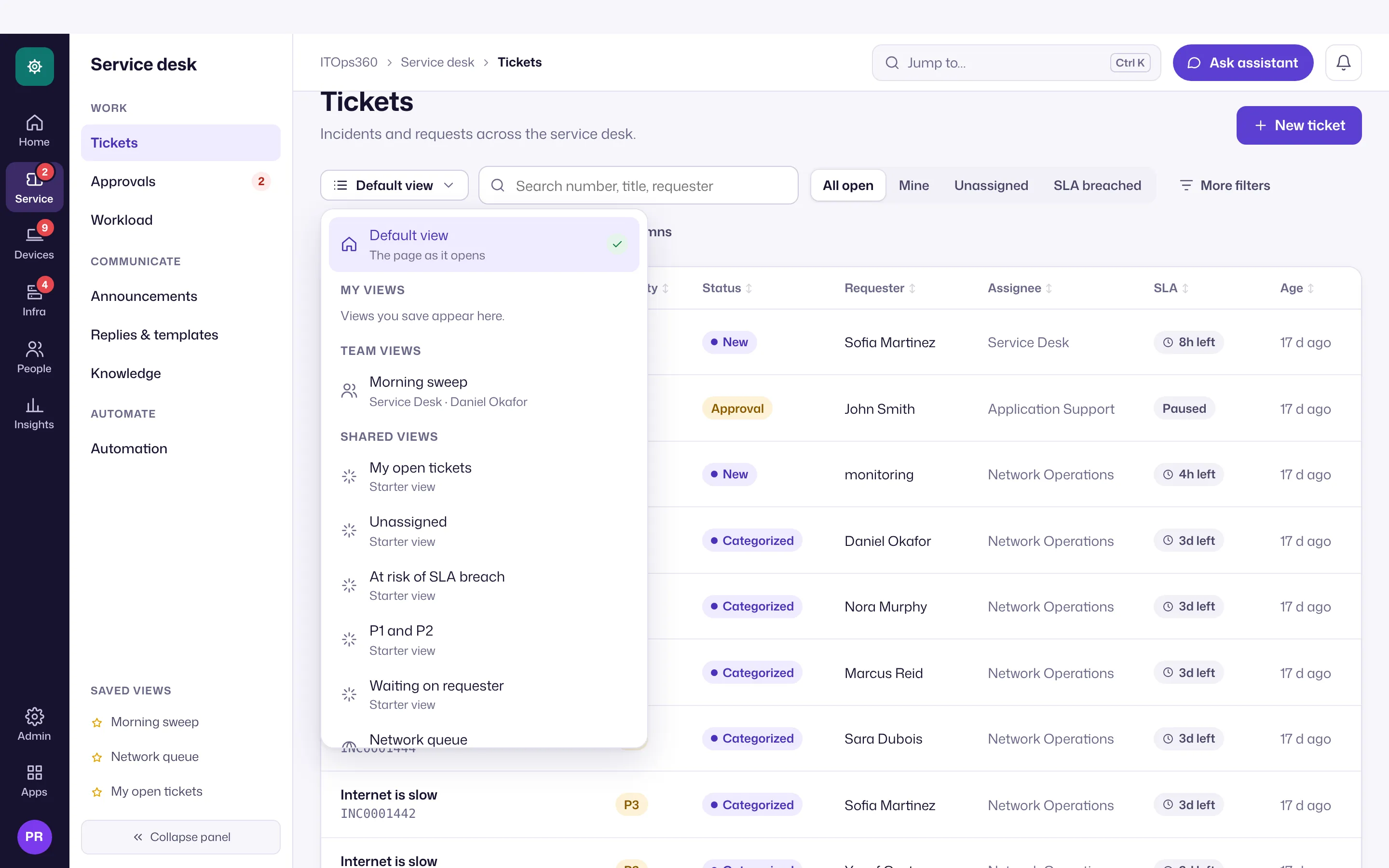
A name plus, for one page: the filters, visible columns (Tickets and Devices), sort, group by and which groups are collapsed. A view never stores rows: opening a shared view loads the list with your own permissions. Sharing a view shares a way of looking, never data.
Where you can use them
| Page | Group by | Starter views |
|---|---|---|
| Tickets | Status, priority, team, assignee, category, requester department, SLA state | My open tickets · Unassigned · At risk of SLA breach · P1 and P2 · Waiting on requester |
| Devices | Site, operating system, department, health, owner, source, compliance | Needs attention · Not seen in 7 days · Missing patches |
| Assets | Type, site, owner, management, status | |
| Alerts | Severity, source, device, site | Critical open |
| Patching | Update status, security updates waiting, ring, install through | |
| Approvals | Risk, action, requested by | |
| Knowledge | Status, category |
Starter views are built in and read-only; Save a copy makes an editable one.
Save, share and set a default
- Change the filters, sort, grouping or columns. An Edited dot appears on the Views button; choose Save changes or Save as new view.
- Share with one of your help-desk teams (needs the right to assign tickets, or settings rights, and membership of that team) or with everyone in the organization (settings rights). Team membership is checked live: leave the team and its views disappear.
- Set as my default opens the page with that view. The URL carries the view (
?view=…), so a link opens the same view for a colleague who can see it. - At most 50 views per person per page. Creating, changing, sharing and deleting views is audited.
Group by
Choose a field in Group by, under the filters. Groups show their count and collapse with one click; Collapse all / Expand all toggles every group, and large groups show their first rows with Show all. On Tickets, group counts are taken over every matching ticket, even when the list itself is cut off at 500.